


Smart Emergency Call System SOS
-
Guide: how to choose an SOS emergency call system
The catalogue contains five different types of solutions, and they are not interchangeable: a 4G button calls relatives on their phone, a 433 MHz system alerts the carer in the same house, and a ZigBee button will not work at all without a hub. Here you will find a quick selection by situation, how the alarm reaches help, when fall detection is essential, what to check before buying and the most common mistakes.
Colour key: ■ information · ■ benefit, solution · ■ ⚠ check · ■ ⚡ safety, mistakes
Contents: 3 questions · What do you need? · How the alarm reaches help · Fall detection · Does it call 112? · What to check · Mistakes · Diagrams · FAQStart by answering 3 questions
Everyone presses a button the same way. What differs is where the person will be when help is needed and who will receive the alarm.
1. Where will the person be?
at home · in a facility · anywhere→2. Who must receive the alarm?
relative on the phone · carer nearby · nurse station→3. Will the person manage to press?
if there is a risk of falling – fall detection→✓ The right system typeWhat do you need? Quick selection
Situation Solution Products A senior lives alone, spends most of the time at home, relatives live in another city 4G SOS button worn around the neck with fall detection and two-way voice – when pressed it calls relatives, and they talk through the button 4G button with fall detection, IP67
4G pendant, white / black
4G button, 950 mAh, IPX7 / whiteThe button must always be within reach – in the shower and in bed – while the 4G device stays on the bedside table Bluetooth pendant paired with a 4G button: the pendant is light (15.4 g, IP67) and sends the alarm through the base device, so it works within about 30–80 m of it – at home and in the yard Bluetooth pendant, red / green
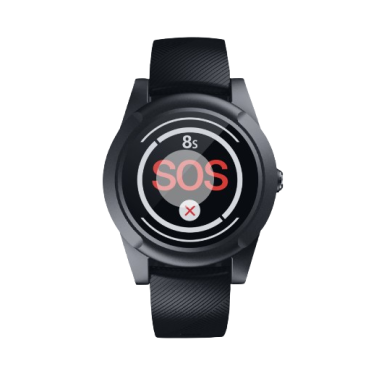
compatible with ES-EV-07BAn active person walks outdoors and may get lost or wander too far 4G watch with GPS, geofences and fall detection – nothing to forget at home SOS watch with heart rate monitoring
SOS watch, another model
Medical SOS watch, black / creamLocation tracking and an SOS button are needed, fall detection is not essential Budget 4G GPS button with geofences 4G GPS button, black / red The person being cared for is in another room or on another floor, the carer is in the same house Wireless 433.92 MHz system: button or pull cord by the bed, audible and visual receiver with the carer. Wi-Fi models also send a notification to the phone app Wall button with 1.5 m pull cord + receiver, IP55
Button + colour-coded receiver, up to 30 transmitters
Wi-Fi receiver + 2 buttons
Wi-Fi receiver + 2 buttons + wristband
Wi-Fi receiver + button + wristbandA ZigBee smart home hub is already installed ZigBee SOS button – the notification arrives in the same app and can be linked to a siren or lighting ZigBee SOS button, CR2450
WOOX ZigBee SOS buttonA Hikvision AX PRO security system is installed Portable AX PRO panic button – the alarm goes to the security hub and the app Hikvision DS-PDEBP1-EG2-WE, 868 MHz, IP66 Risk of falling where nothing is worn – in the bathroom, by the bed at night Wall-mounted radar fall sensor: nothing to wear and nothing to press 60 GHz radar, fall detection 4×4 m, ZigBee 3.0 Accessible WC in a public building, office or café Call kit: pull cord in the WC cubicle, visual and audible signal outside the door and a reset button Wired WC kit, 230 V
Wireless kit with reset and siren, 433.92 MHzNursing home unit, outpatient clinic, rehabilitation centre Wireless system with numbered buttons and a display – shows which room is calling 10 buttons + display, IP55 Hospital, nursing hospital, senior home with several units Modular nurse call system with corridor indicators, displays and watches – selected according to the site plan Nurse call system, up to 400 buttons
Project consultationMost reliable – a combination, not a single device
Each type has a weak spot: a 4G button may be left on the bedside table, a 433 MHz receiver will not be heard by someone who is not at home, and a person lying unconscious will not press a wearable button. Two layers close these gaps.
- Senior alone at home: 4G button with fall detection + Bluetooth pendant that can be worn in the shower.
- Family member in care: 433 MHz pull cord by the bed at night + 4G button when the family is away.
- High bathroom risk: radar fall sensor in the bathroom + wearable button elsewhere.
- Public building: WC call kit in every accessible WC, with the signal where staff are always present.
How the alarm reaches help: 5 system types
Type Who receives the alarm What else is needed Coverage Power 4G buttons and watches Up to several pre-set phone numbers: call, SMS, app notification with location Nano SIM card with voice and data, app for settings Wherever there is mobile coverage Rechargeable battery, charging daily or every few days 433.92 MHz systems Receiver (sound, light, display) in the same room or house; Wi-Fi models – also the app Receiver – mains power; Wi-Fi models – home Wi-Fi Tens of metres inside a building, depending on walls Buttons – battery, receiver – adapter Wired WC system Visual and audible signal above the door or in the attendant room 230 V supply, cable to the indicator, installer Inside the building, along the cable route 230 V mains Smart home (ZigBee, AX PRO) Phone app, siren or other automation Compatible hub: ZigBee or Hikvision AX PRO Hub network coverage Battery (CR2450 etc.) Professional nurse call system Nurse station, corridor indicators, displays, nurse watches Project design, signal repeaters for larger sites Up to 200 m in open space per node Buttons – battery, central equipment – mains Simple rule: if the alarm must reach a person who is elsewhere, choose a 4G device. If help is in the same house or facility – a 433 MHz or wired system. If there is already a hub at home – choose a button that works with it, not a new separate system.
Fall detection: when it is essential
A fall is the most common reason a senior needs help. But after a fall a person may be unconscious, have an injured arm or simply be confused – and will not press the button. Fall detection sends the alarm by itself.
✗ What often happens
- The cheapest button without fall detection is bought for someone who has already fallen
- The button is taken off before washing – and the fall happens exactly in the bathroom
- The wearable button is left on the bedside table at night
- Nobody checks the settings – sensitivity is too low or the device calls for no reason, so it gets switched off
✓ How it should be
- With a risk of falling – a device with fall detection: ES-EV-07B-4G, ES-EV12, ES-EV-04 or a watch
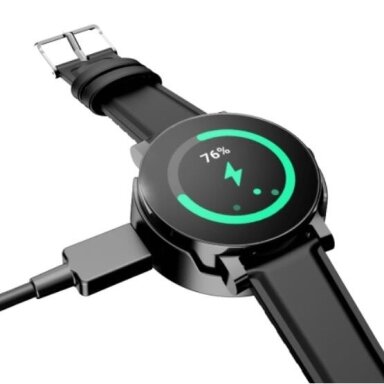
- A waterproof device (IP67 / IPX7) is worn in the shower too
- In the bathroom or bedroom – additionally a radar fall sensor that does not need to be worn
- After setup the fall alarm and cancellation are tested, so the person knows how to cancel a false alarm
What you need to know about fall detection: the accelerometer recognises a sudden fall followed by immobility, so a slow slide off a chair or sitting down on the floor may go undetected. Fall detection complements the SOS button but does not replace it – the user still needs to know how to press the button. Heart rate and other health data from watches are for information only: this is not a medical device and not a diagnosis.
Does an SOS button call 112?
⚠ Not automatically. These devices do not notify emergency services by themselves.
- 4G buttons and watches call and send their location to the numbers you enter in the settings – usually relatives. They must be entered and tested before the device is handed to the user.
- 433 MHz, wired and nurse call systems signal only inside the building – to a receiver, display or nurse station.
- ZigBee and AX PRO buttons notify the app and the hub.
- We do not recommend entering 112 as an automatic call number: accidental presses and false fall alarms will call emergency services, and after a fall a person cannot always explain what happened and where they are. It is more reliable when the first call goes to a relative who knows the address and can call for help.
- The first person to receive the alarm assesses the situation and calls 112 if needed. If you want the alarm to be received by a professional operator, contact a security or social care service provider about a monitoring centre service.
⚠ What to check before buying
 KibirkštisBefore handing a 4G button to a customer I always insert the SIM, enter the numbers and make a call from it myself – otherwise the first real test will be a real emergency.
What to check Why it matters SIM card and plan A 4G device needs a Nano SIM with voice calls, SMS and mobile data. The SIM PIN usually has to be disabled. A small amount of data is enough, but without it location will not be sent to the app. LTE bands Operators in the Baltic states use mainly LTE bands B3 (1800 MHz), B7 (2600 MHz) and B20 (800 MHz), and some also B1, B8 and B28. The device specification should include at least B3 and B20; B20 is especially useful in rural areas and inside thick-walled buildings. 3G networks are being switched off, so rely on 4G, not 3G. Who will answer Enter several numbers in order: if the first does not answer, the device calls the next one. Agree with relatives that these calls must not be missed. Battery and charging Watches and small buttons need frequent charging. Choose a charging routine the user will actually keep; enable the low battery notification. Water resistance If the button will be worn in the shower – IP67 or IPX7. IP55 buttons are meant for walls and splashes, not immersion. Hub (ZigBee, AX PRO, Bluetooth) ZigBee buttons need a ZigBee hub, the Hikvision button needs an AX PRO hub, Bluetooth pendants need a compatible 4G base device. Without them the button has nowhere to send the alarm. Range in a building (433 MHz) The range stated by the manufacturer is for open space. Reinforced concrete floors and several walls reduce it several times. Test the button from the farthest room and place the receiver centrally. Number of call points 1–3 buttons are enough for a home. A facility needs a system that shows the room number on a display and allows the number of buttons to be expanded. Voice calls: VoLTE or 2G With 3G switched off, a 4G device makes calls via VoLTE (voice over the 4G network) or falls back to 2G. If the specification mentions neither, the SOS call may fail to connect even though data and location still reach the app. Ask us if you cannot find this in the description. Power or internet outage A mains-powered 433 MHz receiver and Wi-Fi model notifications do not work without electricity and internet. Choose a receiver with a backup battery or connect the router to a UPS. 4G devices do not depend on home power or Wi-Fi. Wi-Fi network Most Wi-Fi SOS receivers and smart devices connect only to a 2.4 GHz network. If the router broadcasts a single combined 2.4/5 GHz network, you may need to temporarily enable a separate 2.4 GHz network for pairing. Personal data and consent GPS tracking is processing of personal data. Track an adult's location only with their knowledge and consent; if the person cannot decide for themselves, the decision is made by their legal representative. ✗ Most common mistakes
Mistake Consequence 4G button without a SIM or with an inactive SIM The button lights up but calls no one. A ZigBee button bought although there is no hub at home The button has nowhere to send the alarm – a hub must be bought or the system changed. A 433 MHz system for someone who lives alone The receiver rings in an empty house – no help comes. A button without fall detection for someone after a fall An unconscious or injured person cannot press the button. Only one number entered, and it often goes unanswered The call goes to voicemail. A sequence of several numbers is needed. Receiver or router without backup power During a power cut the system goes silent – exactly during a storm or an outage, when help may be needed most. The device has never been tested Wrongly entered numbers or disabled notifications only come to light during a real emergency. A wired 230 V WC system connected by yourself ⚡ Working with 230 V in a damp room – risk of electric shock. Installation by a qualified electrician. 
⚡ Safe installation and maintenance – Fazė's advice
- 230 V powered WC call systems and receivers are installed by a qualified electrician; in damp rooms – a suitable IP rating and 30 mA residual current protection (RCD).
- The WC pull cord must reach the floor or be reachable when lying down – people usually call for help after they have already fallen.
- Test every button once a month and check the batteries; replace batteries as soon as the system reports a low level.
- UAB „Elektrotechnikos sprendimai“ provides information for guidance only and is not responsible for incorrect connection, settings or installation errors.
☝ Elsprendimai.eu recommends: complete the safety of a senior or a person in care with smoke and gas leak detectors, smart home hubs for ZigBee buttons, smart gas and smoke sensors and video doorbells, so relatives can see who has arrived.Diagrams: what often happens and how it should be
In each diagram the most common mistake is on the left and the correct solution on the right. The numbers in the diagram match the explanations below it.
Diagram 1. How the alarm reaches help. The button always works – the question is whether the alarm reaches someone who can help.
KibirkštisI pressed the button and the light blinked – so it works?
FazėThe button blinked, but whether the alarm reached anyone is a completely different question. Check the whole path: button → hub or network → a person who will answer.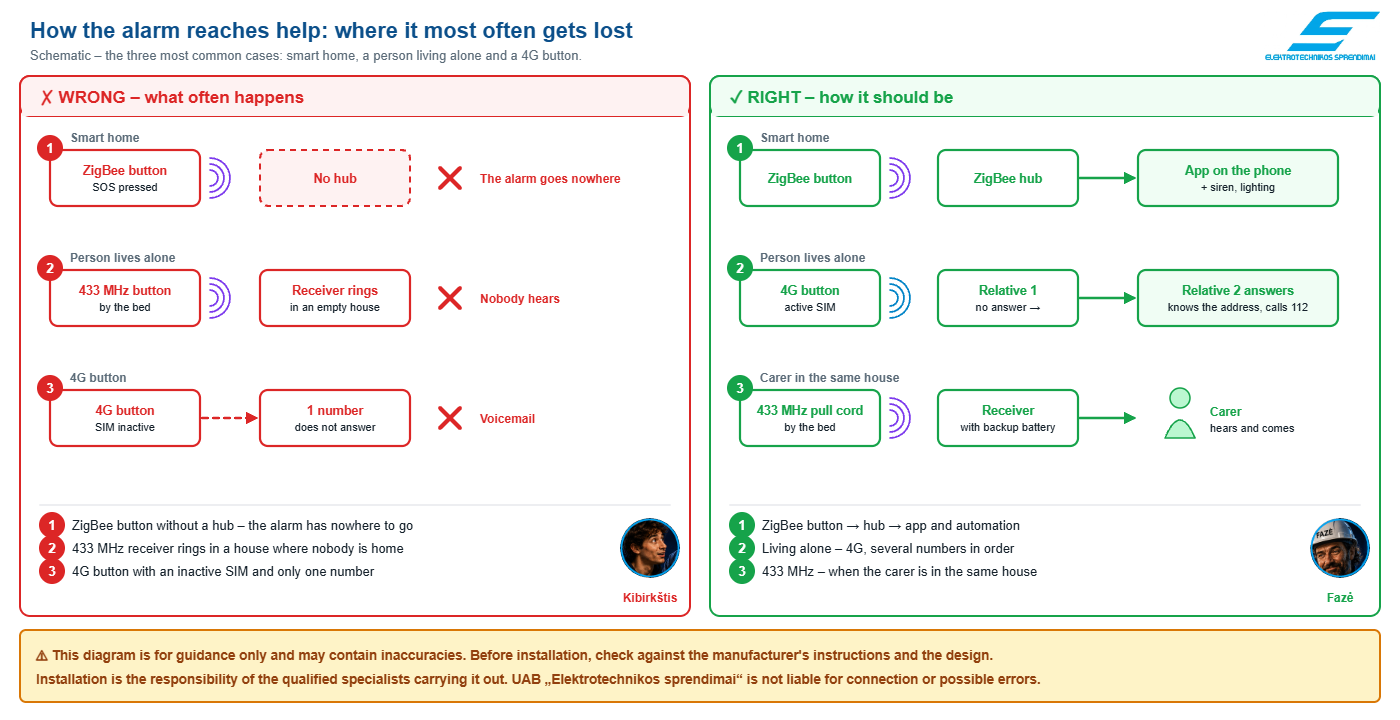 ☝ Click the diagram to open an enlarged version.⚠ This diagram is for guidance only and may contain inaccuracies. Before installation, check against the manufacturer's instructions and the design.
Installation is the responsibility of the qualified specialists carrying it out. UAB „Elektrotechnikos sprendimai“ is not liable for connection or possible errors.Why – explanation by diagram numbers
1ZigBee button and hub
✗ Button without a hub → ✓ Button paired with a ZigBee hub
Why: ZigBee is a short-range 2.4 GHz network through which the button cannot reach a phone or the internet directly. The notification is passed to the app by the hub connected to the home router.
2What a 433 MHz system is for
✗ A 433 MHz system for someone who lives alone → ✓ 433 MHz – when the carer is in the same house; 4G for someone living alone
Why: A 433 MHz transmitter sends the alarm only to its own receiver, a few tens of metres away inside the building. If there is nobody nearby to hear the receiver, the alarm stays in an empty house.
3SIM card and call sequence
✗ Inactive SIM and a single number → ✓ Active SIM and several numbers in order
Why: A 4G button calls through the mobile operator, so the SIM must be active and topped up. With several numbers entered, if the first does not answer, the device automatically calls the next one.
Diagram 2. Accessible WC call system. A person usually calls for help after they have already fallen, and the alarm must reach the staff outside the door.
KibirkštisThe pull cord hangs there anyway – why can't it be tied up higher so it doesn't get in the way of cleaning?
FazėBecause the person calling for help is usually already lying on the floor. A tied-up cord is a system that exists but does not work.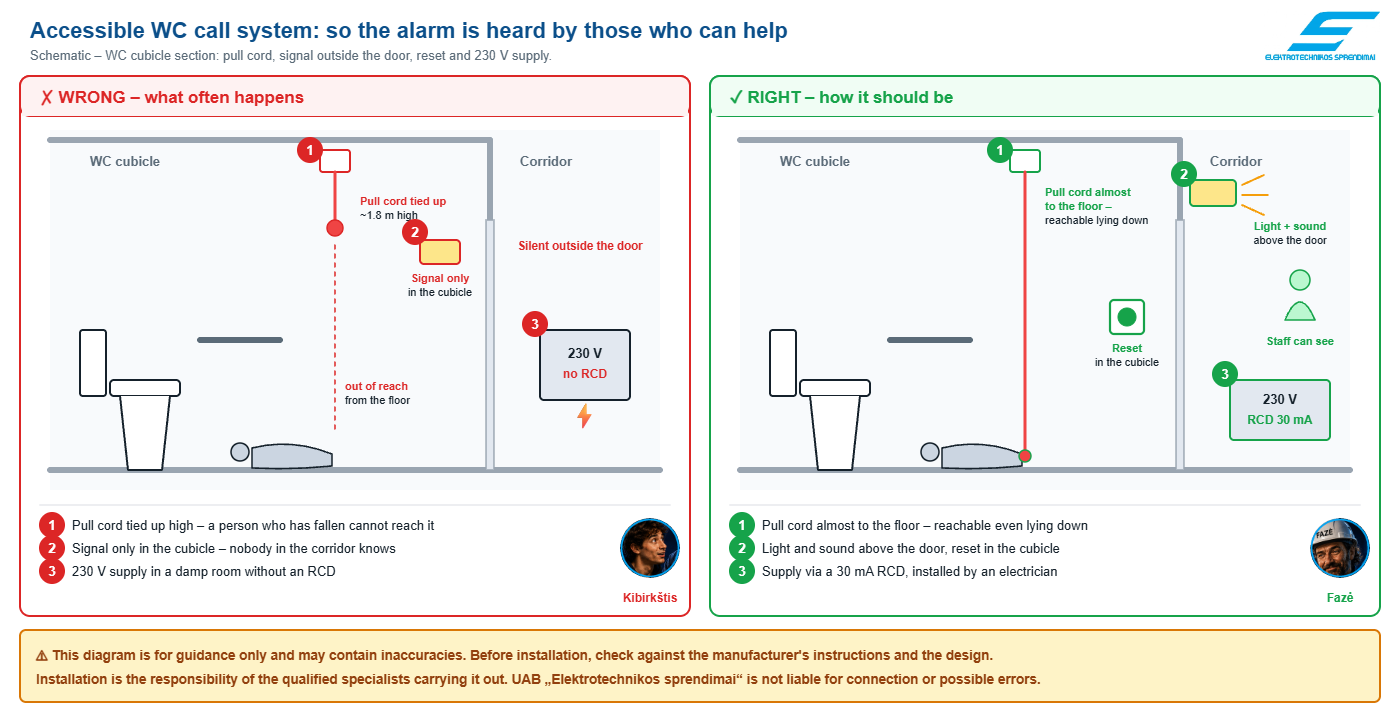 ☝ Click the diagram to open an enlarged version.⚠ This diagram is for guidance only and may contain inaccuracies. Before installation, check against the manufacturer's instructions and the design.
Installation is the responsibility of the qualified specialists carrying it out. UAB „Elektrotechnikos sprendimai“ is not liable for connection or possible errors.Why – explanation by diagram numbers
1Pull cord height
✗ Pull cord tied up at about 1.8 m → ✓ Pull cord reaches almost to the floor
Why: A call usually happens after a fall, so the cord must be reachable from the floor too. Cleaners often tie the cord up – it is worth checking at every inspection.
2Signal outside the door and reset
✗ Signal only in the cubicle → ✓ Light and sound above the door, reset in the cubicle
Why: The alarm must reach those who can help – staff in the corridor or in the attendant room. A reset button in the cubicle ensures the alarm is cancelled only once help has arrived on the spot.
3Supply and electrical safety
✗ 230 V without residual current protection → ✓ Supply via a 30 mA RCD, installed by an electrician
Why: A WC is a damp room. A 30 mA residual current device disconnects the circuit when the leakage current reaches a level dangerous to people – such protection for damp rooms is required by electrical installation rules.
Frequently asked questions
Asked by Kibirkštis – a young, curious electrician who dares to ask what others don't. Answered by Fazė – an experienced engineer.
KibirkštisDo I have to pay monthly for a 4G SOS button?
FazėThe device works with a SIM card from the operator of your choice, so you only pay for the connection – a prepaid card or a cheap plan with voice, SMS and data will do. Data use is low; the main thing is that the SIM is active and topped up. Whether the app has additional service fees is stated in the description of the specific device.
KibirkštisHow is a watch better than a button around the neck?
FazėA watch is always on the wrist, it is harder to forget, and some models also monitor heart rate. A button is simpler, larger, easier to press with stiff fingers and often has a bigger battery. A senior who does not like technology usually accepts a button more easily.
KibirkštisWhy do some 4G buttons cost three times more than others?
FazėLook not at the „4G“ label but at what lies behind it: fall detection, two-way voice, IP67 water resistance, battery capacity and the list of LTE bands. The cheaper 4G GPS button is fine for location tracking and SOS alarms, but it will not detect a fall by itself.
KibirkštisDoes any system react to shouting or moaning?
FazėNo. All systems in this group are triggered by a button, a pull cord or fall detection – you cannot call for help by voice or sound. If the person may not manage to press, choose a radar fall sensor that does not need to be worn, or a device with fall detection. 4G buttons with two-way voice let a relative hear what is happening after the alarm and talk to the person.
KibirkštisCan a person's location be tracked without their knowledge?
FazėYou shouldn't. GPS location is personal data, so track an adult's location only with their knowledge and consent. If illness means the person can no longer decide, the decision is made by their legal representative. It is best to agree on geofences and numbers together – then the device is used more willingly.
KibirkštisWill a 433 MHz system work through two floors?
FazėUsually yes, but it cannot be guaranteed – reinforced concrete attenuates the signal heavily. Before installing, press the button from the farthest spot and listen to the receiver. If the signal is unreliable, move the receiver closer or choose a Wi-Fi model with phone notifications.
KibirkštisIs a call system mandatory in an accessible WC?
FazėAn emergency call alarm for accessible rooms is usually specified in the building design. The exact requirement for your site is set by the designer according to the applicable building regulations – we help select equipment according to the design.
KibirkštisDo you help select a system for a facility?
FazėYes. Send us the floor plan or the number of rooms and WCs, where the alarm should go and who will receive it – we will select a system and send you a quote. Contact us.Sources (checked 2026-10-09): LTE bands of Baltic operators; 3G switch-off in Lithuania; technical data – from the product descriptions in this group.
Help must come even when the person cannot call
4G buttons and watches, home systems, accessible WC kits and nurse call systems for facilities – all in one place. Tell us who needs the system and where: we will select a solution and help you configure it.
Get a quote 1 - 16 of 28
 Price 474.77 € VAT incl.( 392.37 € VAT excl. )
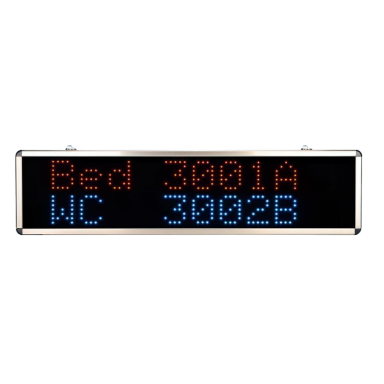 Wireless nurse call system for hospitals and senior care facilities | SOS | 433.92MHzCode: ES-YHE-916SPrice 13411.40 € VAT incl.( 11083.80 € VAT excl. )Wireless SOS assistance call system | for people with disabilities | 10 call buttons and display | IP55Code: ES-K-4-C-K-O1Price 293.30 € VAT incl.( 242.40 € VAT excl. )Smart | Wireless | SOS Emergency Call System | for Disabled | Button and signal receiver | 433.92MHz | red | IP55Code: ES-K-4L-K-HC-PPrice 92.40 € VAT incl.( 76.36 € VAT excl. )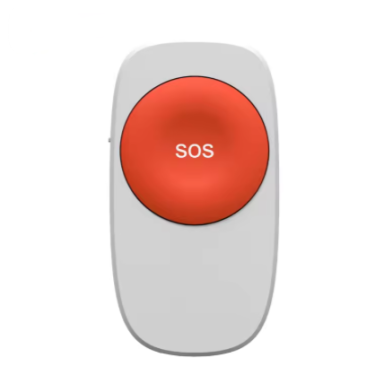
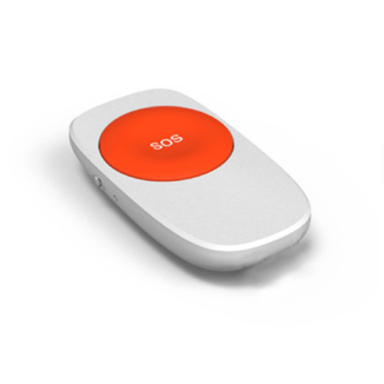 Smart SOS emergency button | ZigBee 2.4GHz | APP control | wireless | for elderly | hospitals | Smart Home | quick emergency callCode: ES-PB206Price 47.30 € VAT incl.( 39.09 € VAT excl. )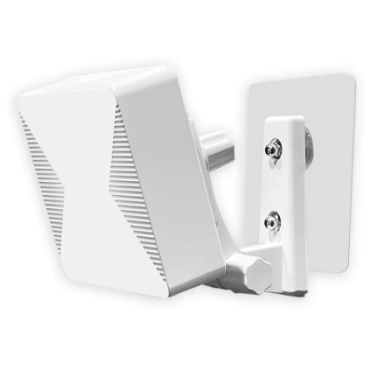
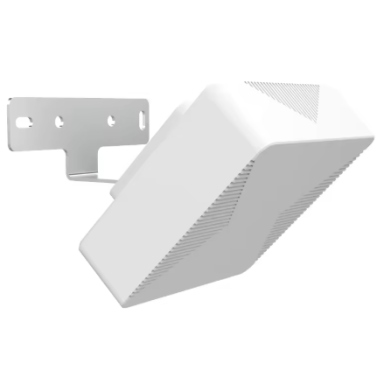 Fall Detection Sensor | Zigbee 3.0 | 60GHz radar | 4x4m fall detection | wall mounting | human presence and fall monitoringCode: ES-FDS315Price 220.63 € VAT incl.( 182.34 € VAT excl. )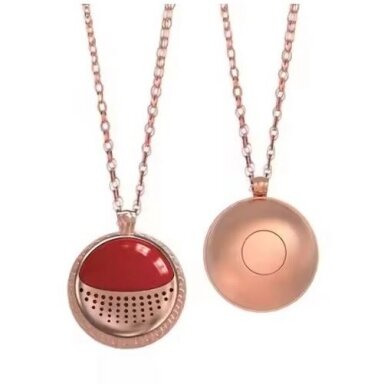
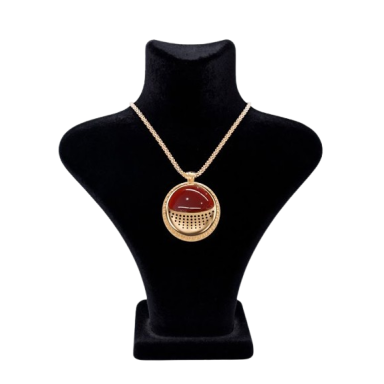 Smart emergency call pendant | SOS necklace | for disabled persons | Bluetooth | red | IP67Code: ES-EW-R04Price 51.52 € VAT incl.( 42.58 € VAT excl. )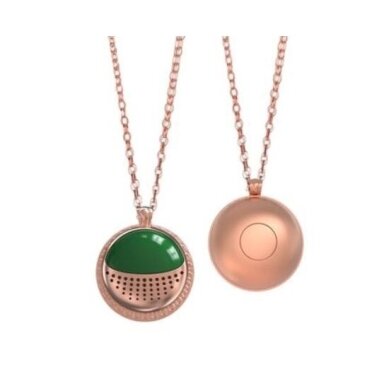
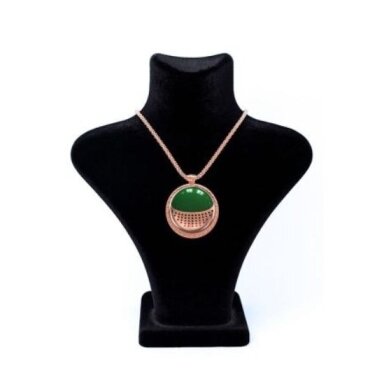 Smart emergency call pendant | SOS necklace | for disabled persons | Bluetooth | green | IP67Code: ES-EW-G04Price 51.52 € VAT incl.( 42.58 € VAT excl. )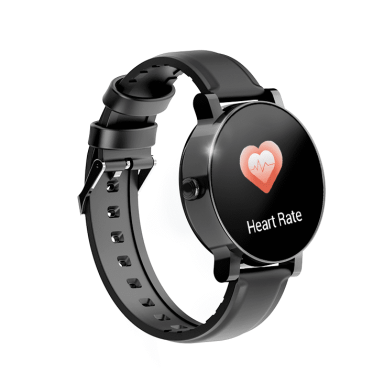
 Price 226.63 € VAT incl.( 187.30 € VAT excl. )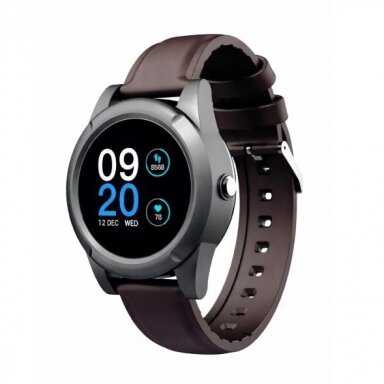
 Price 224.58 € VAT incl.( 185.60 € VAT excl. )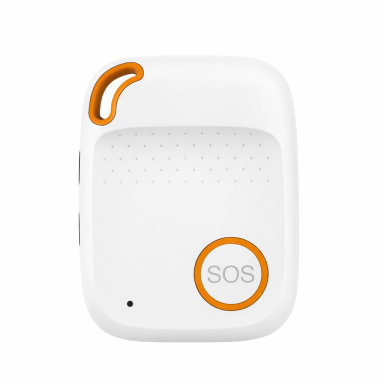
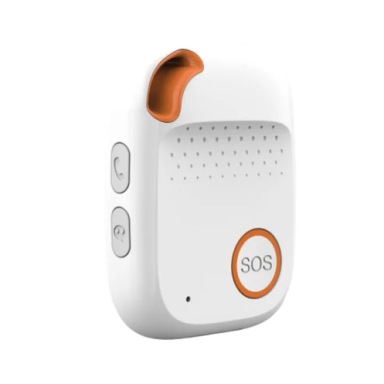 SOS personal safety button | with fall detection | 4G LTE + GPS real-time tracking | white | IPX7 | EV-04Code: ES-EV-041Price 277.26 € VAT incl.( 229.14 € VAT excl. )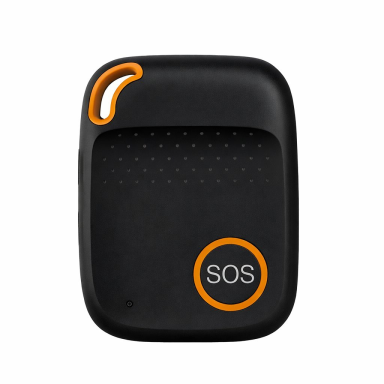
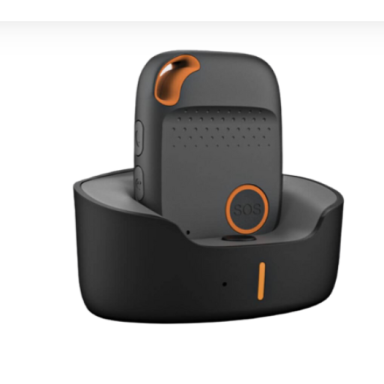 SOS personal safety button | fall detection | 4G LTE + GPS real-time tracking | black | IPX7 | EV-04Code: ES-EV-04Price 277.26 € VAT incl.( 229.14 € VAT excl. )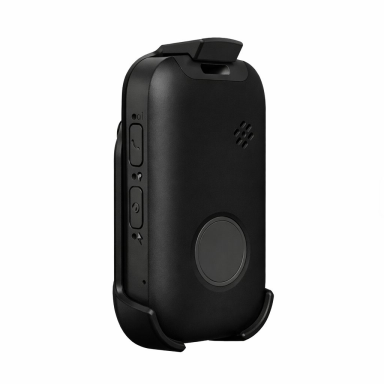
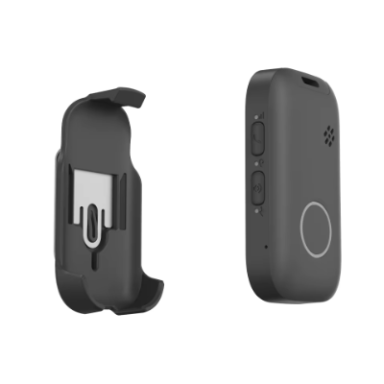 4G Personal SOS Emergency Button | with Fall Detection and GPS | Quick Emergency Call | Black | IP67 | Eview GPSCode: ES-EV121Price 283.58 € VAT incl.( 234.36 € VAT excl. )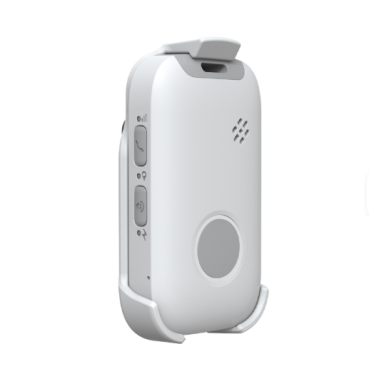
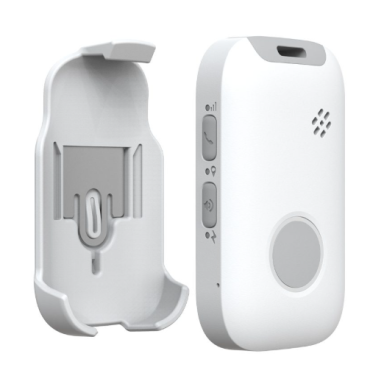 4G Personal SOS Emergency Button | with Fall Detection and GPS | Quick Emergency Call | White | IP67 | Eview GPSCode: ES-EV12Price 283.58 € VAT incl.( 234.36 € VAT excl. )
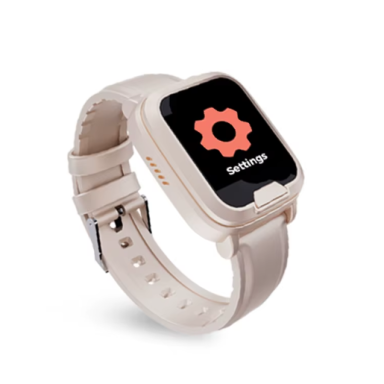 SOS watch with fall detection | medical emergency watch | voice call | GPS + health monitoring | cream / white | IP67 | EV06Code: ES-EV061Price 283.58 € VAT incl.( 234.36 € VAT excl. )
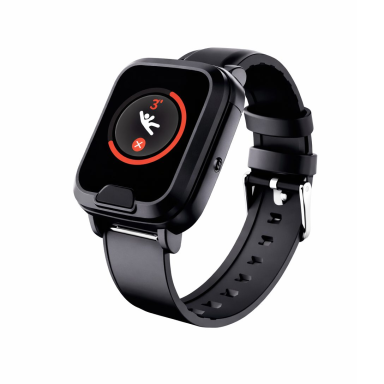 SOS watch with fall detection | medical alert watch | voice calling | GPS + health monitoring | black | IP67 | EV06Code: ES-EV06Price 283.58 € VAT incl.( 234.36 € VAT excl. )


