Products catalog

Buttons for automation control | control systems

  • Push buttons 22 mm, 19 mm and 16 mm for control panels, machines and automation

    Control push buttons are used to start, stop and operate equipment: plastic and metal, with LED illumination, double START–STOP, IP65 anti-vandal and emergency stop. All of them are designed for control circuits – contactor coils, relays and controller inputs.

    Subgroups:Non-illuminatedWith LEDSTART–STOPIP65 and anti-vandalEmergency stop

    Selector switches and keysPush button accessoriesBuzzersFoot pedalsEnclosures and indicator lamps

    Kibirkštis
    KibirkštisWhat button should I put on the door of a pump control panel?

    Fazė
    FazėFunction first: START – NO, STOP – NC, both momentary, and the motor is connected via a contactor with self-holding. Then the LED voltage according to the control circuit and the IP rating according to the room. You will find the full selection in the guide below.

    ⚡ Selection guide – ELSprendimai recommends

  • Push button guide: how to choose a control button for a panel, machine or device

    Here you will find quick selection by situation and 6 solution levels, from a basic plastic button to an emergency stop. The guide explains NO/NC logic, colours according to EN 60204-1, LED voltage selection and a selection matrix. It also covers the most common mistakes with a START–STOP diagram. Exact parameters are given in each product description.

    Colour meanings: ■ information · ■ benefit, solution · ■ ⚠ check · ■ ⚡ safety, mistakes

    ⚡ Selection in 30 s
    ELSprendimai recommends

    What do you need? Quick selection

    Situation Solution Where to look
    Panel door in a dry room, simple on and off Plastic 22 mm IP40 momentary button: NO for start, NC for stop green START, plastic, red NC, plastic, white 1NO
    You need to see that the device is running or waiting Button with LED illumination. The LED voltage must match the control circuit voltage green LED 230 V, green LED 24 V, green LED 110 V
    Motor, pump or fan with a contactor, little space on the door Double START–STOP button fitted in one 22 mm hole START–STOP with LED 230 V, START–STOP with LED 24 V
    Production line or workshop: frequent pressing, impacts, oil Metal 22 mm button green metal NO, red metal NC, black metal NO
    Outdoors, washdown area, dust or public place Metal IP65 button, and where there is a vandalism risk, an anti-vandal aluminium button IP65 with “+” symbol, anti-vandal 22 mm, anti-vandal 16 mm
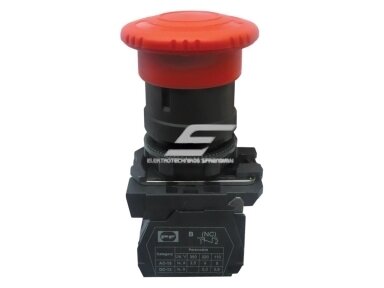
    A machine or line must be stopped in an emergency Emergency stop “mushroom” with latching, red on a yellow background. The circuit is connected through a safety relay mushroom STOP with latching, safety relays
    The button is mounted not in a panel but at the device or on a wall Button with an enclosure for push buttons (1–3 positions) push button enclosures
    Repair: an old button must be replaced cheaply Economy 22 mm button matching the colour and contact green economy, red economy, blue 1NO
    Door opening, access control (REX) This is not an industrial button. See the separate guide Exit door button guide
    The right button means three decisions: function (NO or NC contact, momentary or latching), environment (IP and housing) and indication (LED voltage). When these three are chosen correctly, the button lasts for years and the panel is easy to service.

    From basic to professional: 6 solution levels

    Start at level 1 and move up only when the environment or function requires it. A more expensive button is not “better” everywhere: an IP40 button fails quickly in a washdown area, while an IP65 metal button in a dry panel is just an extra cost.

    LEVEL 1

    Plastic 22 mm IP40

    For: panel doors in dry rooms, home and building automation, repairs

    What you get: momentary action, 1NO or 1NC, all main colours

    Price from 1.15 € incl. VAT

    green START · red NC · black NO · yellow · blue · black 1NO · red 1NC
    Economy: green · red

    LEVEL 2

    Metal 22 mm

    For: production lines, workshops, machine tools – frequent pressing and mechanical loads

    What you get: sturdier front ring, longer service life, more solid look

    Price from 2.41 € incl. VAT

    green metal · red metal NC · black metal · red extended NC

    LEVEL 3

    With LED illumination

    For: when the operator must see the status: running, ready, fault

    What you get: button and indicator in one, fewer holes in the door; 24 V, 110 V or 230 V

    Price from 4.82 € incl. VAT

    230 V: green · red NC · white
    24 V: green · red NC · blue · green
    110 V: green · yellow

    LEVEL 4

    Double START–STOP

    For: control of motors, pumps and fans with contactor self-holding

    What you get: START (NO) and STOP (NC) in one 22 mm hole, with LED run indication

    Price from 8.22 € incl. VAT

    START–STOP 230 V LED · START–STOP 24 V LED

    LEVEL 5

    IP65 and anti-vandal

    For: outdoor equipment, washdown and dust areas, public sites, terminals

    What you get: sealed front, metal or anodised aluminium; 16, 19 and 22 mm

    Price from 8.03 € incl. VAT

    IP65 “+” · IP65 “–” · IP65 arrow · IP65 double arrow
    Anti-vandal: 22 mm · 19 mm · 16 mm

    LEVEL 6

    Emergency stop

    For: machines, conveyors, lines – wherever a hazard must be stopped quickly

    What you get: red mushroom head, latching, twist release; connected through a safety relay

    Price from 4.25 € incl. VAT

    mushroom STOP with latching · emergency mushroom 660 V
    Anti-vandal with LED: 22 mm · 19 mm · 16 mm

    NO or NC? Momentary or latching?

    The contact determines what the button does in the circuit. This matters more than the colour.

    Term What it means Where to use
    NO (normally open, 13–14) Not pressed – circuit open, pressed – it closes START, ON, signal to a controller (PLC)
    NC (normally closed, 11–12 / 21–22) Not pressed – circuit closed, pressed – it opens STOP, OFF. If a wire breaks, the device stops, so this is the safe choice
    1NO+1NC Two contacts in one button STOP with a signal to the controller, START–STOP, emergency stop with indication
    Momentary (non-latching) The contact operates only while the button is held down Almost all START and STOP buttons with contactor self-holding
    Latching Locks when pressed, released by a second press or by twisting Emergency stop, ON/OFF modes without a contactor
    Kibirkštis
    KibirkštisSo why is STOP always NC? Couldn’t NO stop it too…
    Fazė
    FazėWith an NO contact, STOP would only work while the wire is intact. If a wire breaks or a terminal comes loose, pressing the button would do nothing and the device would keep running. An NC contact stops it both when pressed and when the circuit breaks. That is the “fault = stop” principle.

    Colours and functions according to EN 60204-1

    The machinery electrical equipment standard EN 60204-1 (clause 10.2) defines which colours suit which function. Building and home automation often uses the simple option of green START and red STOP. For machines we recommend following the standard.

    Function Recommended colour Not allowed
    START / ON white (preferred), grey, black or green red
    STOP / OFF black (preferred), grey or white; red is permitted but not near an emergency stop green
    Emergency stop red mushroom on a yellow background any other colour
    Intervention in an abnormal condition yellow (e.g. suppressing a fault) —
    Mandatory action blue (e.g. RESET) —
    General function (e.g. mode, JOG) white, grey, black —

    LED illumination: what voltage do you need?

    The LED of an illuminated button is powered from the control circuit, so its voltage must match the coil or control voltage. This is the most common reason why a new button “doesn’t light up” or the LED burns out on day one.

    Your control circuit Choose Note
    24 V DC: PLC, safety extra-low voltage, control units LED 24 V green 24 V, red 24 V, white 24 V, yellow 24 V
    110 V AC: control transformer LED 110 V green 110 V, white 110 V, blue 110 V
    230 V AC: coil connected between phase and neutral LED 230 V green 230 V, red 230 V, yellow 230 V, blue 230 V
    400 V AC: coil between phases Do not connect directly – use 230 V or 24 V control via a transformer enclosures with step-down transformer, 24 V DIN power supplies

    ⚠ A 24 V LED on 230 V burns out instantly. A 230 V LED on 24 V simply will not light. Whether the LED suits AC or DC – see the product description.

    Selection matrix: all button types in the group

    Main parameters are taken from manufacturers’ data. Contact configuration and load limits are given in each product description.

    Type Diameter Contacts Illumination IP Housing Price from Products
    Plastic momentary 22 mm 1NO or 1NC — IP40 plastic 1.93 € START NC white
    Economy 22 mm NO or NC — see description plastic 1.15 € green red
    Metal momentary 22 mm 1NO or 1NC — IP40 metal 2.41 € green red
    Illuminated 22 mm 1NO or 1NC LED 24 / 110 / 230 V IP40 plastic / metal 4.82 € 230 V 24 V 110 V
    Double START–STOP 22 mm (1 hole) 1NO+1NC LED 24 / 230 V IP40 plastic 8.22 € 230 V 24 V
    With symbol (+, –, arrows) 22 mm 1NO LED 230 V IP65 metal 8.03 € + – →
    Anti-vandal latching 16 / 19 / 22 mm 1NO+1NC LED 220 V IP65 anodised aluminium 17.17 € 16 19 22
    Emergency mushroom 22 mm see description — / LED IP40–IP65 plastic / aluminium 4.25 € mushroom LED

    IP and housing: which button for which place

    IP40 – dry room

    Switchroom, boiler room, office, dry workshop. The button is protected against fingers and large particles, but not against water. Plastic or metal.

    IP65 – dust and water jets

    Outdoor equipment, washdown areas, food industry, dusty workshops. IP65 applies only when the enclosure is sealed too and the button gasket sits on a flat surface.

    Anti-vandal aluminium

    Public sites, terminals, gate posts, stairwells. Flat, impact-resistant front. For 16 and 19 mm holes when there is little space on the door.

    ⚡ Emergency stop: what EN ISO 13850 requires

    A machine emergency stop device is not just a red button

    • Red mushroom or palm-type head, on a yellow background where practicable.
    • Latching: stays pressed and is released only manually (by twisting or with a key).
    • Positive-opening NC contact (IEC 60947-5-5, symbol ⊖). The contact opens mechanically, even if welded.
    • After the emergency stop is released, the machine does not restart by itself. A separate START is required.
    • On industrial machines the emergency stop circuit is connected through a safety relay. The category is set by the risk assessment (EN ISO 13849-1).

    ⚠ Anti-vandal latching buttons labelled “Emergency stop” are suitable for stopping equipment. For a machine emergency stop, choose only a button whose marking or datasheet states compliance with EN ISO 13850 / IEC 60947-5-5. If in doubt, ask us before buying.

    ⚠ What to check before buying

    Kibirkštis
    KibirkštisBefore ordering buttons I always check these things, otherwise I have to make a second trip.
    What to check Why it matters
    Mounting hole diameter (22 mm standard ≈ 22.3 mm; 16 and 19 mm for anti-vandal) The wrong button will not fit the hole or will rotate. Older 30 mm panels need a different solution
    Contact: NO, NC or 1NO+1NC STOP must be NC, START must be NO. If you need a signal to a controller, choose 1NO+1NC or an additional contact block
    Momentary or latching START with a contactor must be momentary, an emergency stop must be latching
    LED voltage and type (AC/DC) Must match the control circuit, otherwise the LED will burn out or not light
    Front IP rating Outdoors and in washdown areas you need IP65, in a dry panel IP40 is enough
    Contact rating (category AC-15 / DC-13) The button controls a coil or a controller input, not a motor. The coil power must not exceed the stated limit
    Colour and marking START, STOP, symbols according to EN 60204-1. The operator must understand without instructions
    Door thickness and material The nut must tighten, and metal doors need a PE (earth) connection

    ✗ Most common mistakes

    Mistake Consequence
    STOP button with an NO contact If a wire breaks or a terminal loosens, the device can no longer be stopped
    Latching START without contactor self-holding When the voltage drops and returns, the motor starts by itself. This is dangerous and does not comply with EN 60204-1
    Button switches the motor current directly Contacts burn and weld. The button must control the contactor coil
    LED voltage does not match the control voltage The LED burns out instantly or does not light, so the operator cannot see the status
    IP40 button outdoors or in a washdown area Water in the contacts, leakage, RCD tripping, corrosion
    Emergency stop without latching or in the wrong colour Does not comply with EN ISO 13850, and the machine may start when the button is released
    Green STOP or red START The operator makes a mistake under stress. EN 60204-1 prohibits this
    Fazė

    ⚡ Safe installation – Fazė’s advice

    • Before installation, disconnect the panel and verify that there is no voltage. The control circuit may be fed from another source.
    • Protect the control circuit with a separate circuit breaker or fuse according to the wire cross-section and coil power.
    • Label the control wires and use ferrules. A loose terminal in the STOP circuit is a dangerous fault.
    • Metal panel doors with buttons must be connected to PE with a flexible earth wire.
    • After installation, test STOP and the emergency stop first, and only then START.
    ☝ Elsprendimai.eu recommends: complete the buttons with push button enclosures, indicator lamps, additional contacts and accessories, selector switches and keys, contactors with thermal relays, safety relays for the emergency stop, as well as buzzers and signal towers.

    Diagram: motor START–STOP control – wrong and right

    The motor is controlled by contactor KM. On the left is a common mistake, on the right the correct self-holding circuit. The numbers match the explanations below the diagram.

    Elektrotechnikos sprendimai
    ✗ Wrong
    L
    no protection 3
    →
    START
    latching NO 1
    →
    KM coil
    A1–A2
    →
    N

    1 No STOP NC and no self-holding 2 No thermal relay contact 3 Control circuit without its own protection

    ✓ Right
    L
    breaker / fuse 3
    →
    Thermal relay
    95–96 NC 2
    →
    STOP
    momentary NC 1
    →
    START (NO, mom.)
    ∥ in parallel KM 13–14 1
    →
    KM coil
    A1–A2 → N

    1 STOP NC in series, START NO in parallel with the KM auxiliary contact (self-holding) 2 On overload the thermal relay breaks the control circuit 3 Separate protection for the control circuit

    The diagram is a simplified schematic and may contain inaccuracies. Before wiring, check against the manufacturer’s instructions and the markings on the devices. The qualified electrician performing the installation is responsible for it. UAB „Elektrotechnikos sprendimai“ is not liable for the wiring or possible errors.

    Why – explanation by diagram numbers

    1 ✗ Latching START without self-holding → ✓ Momentary START + KM 13–14 in parallel, STOP NC in series
    Why: when the voltage drops, the contactor releases and the self-holding is broken. When the voltage returns, the motor stays stopped until the operator presses START again. With a latching button the motor would start by itself.

    2 ✗ No overload protection in the control circuit → ✓ Thermal relay 95–96 NC before STOP
    Why: on overload the relay breaks the coil circuit and the motor stops until the overload is removed.

    3 ✗ Control fed directly from the power circuit → ✓ Separate breaker or fuse for the control circuit
    Why: thin control wires must be protected according to their own cross-section, not the motor current.

    Frequently asked questions

    Questions from Kibirkštis – a young, curious electrician. Answers from Fazė – an experienced master.

    Kibirkštis
    KibirkštisCan I use a red button for START?
    Fazė
    FazėNo. Red is meant for stopping and emergency stop, and START must not be red. For starting choose white, green or black, e.g. a green START or a white 1NO.
    Kibirkštis
    KibirkštisHow much current can a button switch? Can I connect a pump directly?
    Fazė
    FazėA button is meant for the control circuit: a contactor coil, a relay or a controller input. Connect the motor or pump via a contactor and let the button control only the coil. Permissible coil loads are given in the product description.
    Kibirkštis
    KibirkštisHow does a double START–STOP differ from two separate buttons?
    Fazė
    FazėThe function is the same: START NO and STOP NC. A double button needs only one 22 mm hole, and its LED shows that the motor is running. This is handy for small doors, e.g. START–STOP with LED 230 V.
    Kibirkštis
    KibirkštisI have an old panel with 30 mm holes. Will a 22 mm button fit?
    Fazė
    FazėNot directly, because the button will hang loose in the hole and rotate. In that case it is better to replace the door or plate, or mount the buttons in a separate push button enclosure.
    Kibirkštis
    KibirkštisIs an anti-vandal “Emergency stop” suitable for a machine emergency stop?
    Fazė
    FazėOnly when the manufacturer states compliance with EN ISO 13850 and a positive-opening NC (IEC 60947-5-5). Otherwise use it as an equipment stop button, and for a machine choose an emergency stop mushroom compliant with EN ISO 13850 with a safety relay.
    Kibirkštis
    KibirkštisCan another contact be added to a button?
    Fazė
    FazėFor most modular 22 mm buttons, yes, by clipping on an additional NO or NC block. Whether a specific model allows this, see its description and the push button accessories group.
    Kibirkštis
    KibirkštisDo you help select buttons for a whole panel?
    Fazė
    FazėYes. Send the control diagram or a list of functions, the control voltage and the ambient conditions. We will select buttons, lamps, contactors and protection and send you a quote. Contact us.

    Other related guides: Exit door button guide · All product selection guides

    Sources

    Standards and manufacturers’ data used:

    • EN 60204-1 – Safety of machinery. Electrical equipment of machines (clause 10: control devices, colours)
    • EN ISO 13850 – Safety of machinery. Emergency stop function
    • IEC 60947-5-1 – Control circuit devices and switching elements (AC-15, DC-13)
    • IEC 60947-5-5 – Electrical emergency stop device with mechanical latching function
    • EN ISO 13849-1 – Safety-related parts of control systems
    • IEC 60529 – Degrees of protection (IP code)
    • Manufacturers’ data (Promfactor, Lovato, IEK and others) provided in product descriptions

    This guide is for information purposes and does not replace a design, a risk assessment or the manufacturer’s instructions. UAB „Elektrotechnikos sprendimai“ accepts no liability for product selection based on this guide. The final decision is made by the designer or a qualified electrician. Published: 2026-11-04.

    Buttons, lamps, contactors and protection – in one order

    Plastic, metal, illuminated, IP65 and emergency buttons, enclosures, indicator lamps and contactors. Send a diagram or a list and we will prepare a quote. Model not in the catalogue? Some products are supplied to order.

    Get a quote +370 658 01033
    Read more
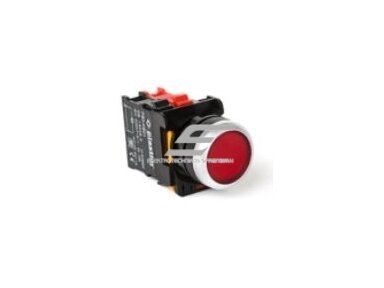
    Push button | 22 mm | 1NC | red | non-illuminated | PB0-AA42
    Code: PB0-AA42

    PB0-AA42 is a 22 mm red control push button with 1NC contact, non-illuminated.

    Price 1.99 € VAT incl.
    ( 1.64 € VAT excl. )
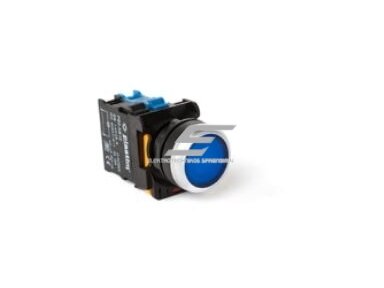
    Push button | 22 mm | 1NO | blue | non-illuminated | PB0-AA61
    Code: PB0-AA61

    PB0-AA61 is a 22 mm blue control push button with 1NO contact, non-illuminated.

    Price 1.99 € VAT incl.
    ( 1.64 € VAT excl. )
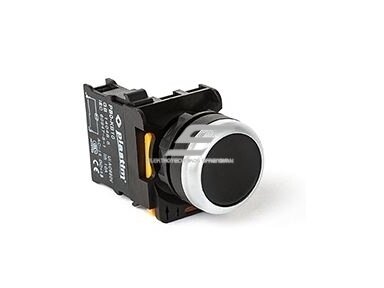
    Push button | 22 mm | 1NO | black | non-illuminated | PB0-AA21
    Code: PB0-AA21

    PB0-AA21 is a 22 mm black control push button with 1NO contact, non-illuminated.

    Price 1.99 € VAT incl.
    ( 1.64 € VAT excl. )
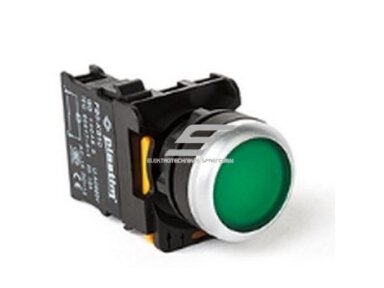
    Push button | 22 mm | 1NO | green | LED 24 V | PB0-AW33B5
    Code: PB0-AW33B5

    PB0-AW33B5 is a 22 mm green control push button with 1NO contact and 24 V illumination.

    Price 4.82 € VAT incl.
    ( 3.98 € VAT excl. )
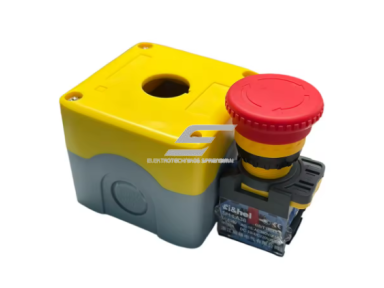
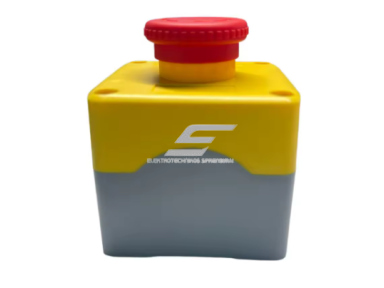
    Emergency stop button | mushroom | latching | with enclosure | 1NC | Ø22 mm | Ui 660 V | Ith 10 A | Si&hel | LA38-11MZS/STOP
    Code: LA38-11MZS/STOP

    A safety component designed for emergency control in various electrical circuits. This emergency stop button is used both in household devices and industrial equipment, ensuring quick and reliable power disconnection in extreme situations.

    The button is made of durable plastic and copper and features an SPST (Single Pole Single Throw) mechanical design, ensuring long service life – up to 100,000 operating cycles. 

    Price 6.32 € VAT incl.
    ( 5.22 € VAT excl. )
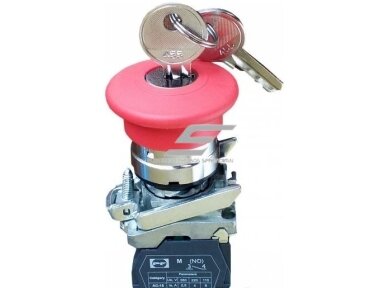
    Mushroom push button with key release | 22 mm | 1NC | maintained | red | metal | IP40 | Promfactor Baltic | FP CMKL r
    Code: FP CMKL r

    A latching mushroom STOP button that can be released only with a key. This prevents unauthorised restarting after a stop.

    Price 4.38 € VAT incl.
    ( 3.62 € VAT excl. )
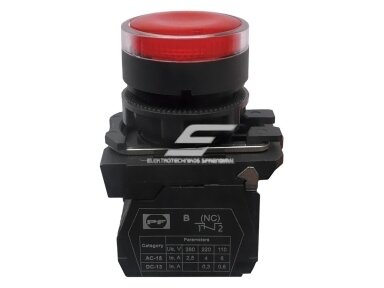
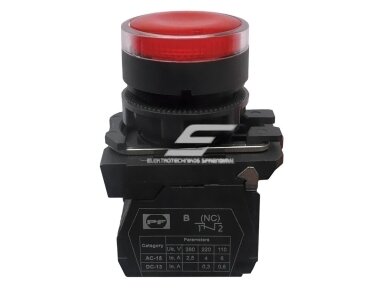
    Push button with LED illumination | 22 mm | 1NO | red | LED 24 V | plastic | IP40 | non-latching | Promfactor Baltic | FP PCPI r24 Pl
    Code: FP PCPI r24 Pl

    FP PCPI r24 Pl – red plastic push button with 24 V LED illumination and a 1NO contact, Ø 22 mm, IP40, for the STOP (off) function with status indication in panels.

    Price 3.52 € VAT incl.
    ( 2.91 € VAT excl. )
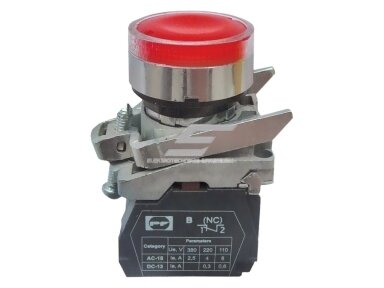
    Push button with LED illumination | 22 mm | 1NC | red | LED 110 V | metal | IP40 | non-latching | Promfactor Baltic | FP PCPI r110
    Code: FP PCPI r110

    FP PCPI r110 – red metal push button with 110 V LED illumination and a 1NC contact, Ø 22 mm, IP40, for the STOP (off) function with status indication in panels.

    Price 5.69 € VAT incl.
    ( 4.70 € VAT excl. )
    Push button with LED illumination | 22 mm | 1NO | red | LED 230 V | plastic | IP40 | non-latching | Promfactor Baltic | FP PCPI r Pl
    Code: FP PCPI r Pl

    FP PCPI r Pl – red plastic push button with 230 V LED illumination and a 1NO contact, Ø 22 mm, IP40, for the STOP (off) function with status indication in panels.

    Price 3.52 € VAT incl.
    ( 2.91 € VAT excl. )
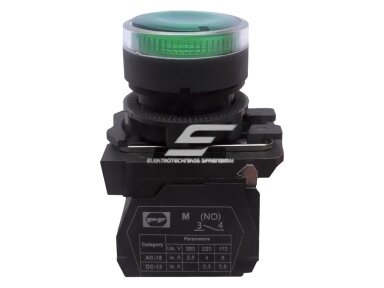
    Push button with LED illumination | 22 mm | 1NO | green | LED 24 V | plastic | IP40 | non-latching | Promfactor Baltic | FP PCPI gr24 Pl
    Code: FP PCPI gr24 Pl

    FP PCPI gr24 Pl – green plastic push button with 24 V LED illumination and a 1NO contact, Ø 22 mm, IP40, for the START (on) function with status indication in panels.

    Price 3.52 € VAT incl.
    ( 2.91 € VAT excl. )
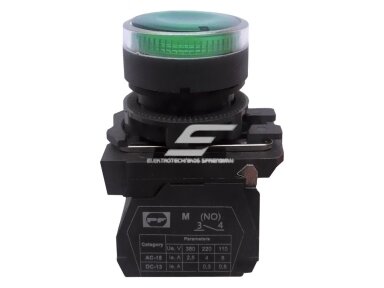
    Push button with LED illumination | 22 mm | 1NO | green | LED 230 V | plastic | IP40 | non-latching | Promfactor Baltic | FP PCPI gr Pl
    Code: FP PCPI gr Pl

    FP PCPI gr Pl – green plastic push button with 230 V LED illumination and a 1NO contact, Ø 22 mm, IP40, for the START (on) function with status indication in panels.

    Price 3.52 € VAT incl.
    ( 2.91 € VAT excl. )
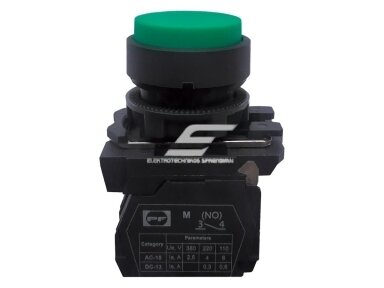
    Extended push button | 22 mm | 1NO | green | plastic | without illumination | IP40 | non-latching | Promfactor Baltic | FP PCPB gr Pl
    Code: FP PCPB gr Pl

    FP PCPB gr Pl – green extended plastic push button with a 1NO contact, Ø 22 mm, IP40, non-latching, for the START (on) function in panels and control desks.

    Price 1.74 € VAT incl.
    ( 1.44 € VAT excl. )
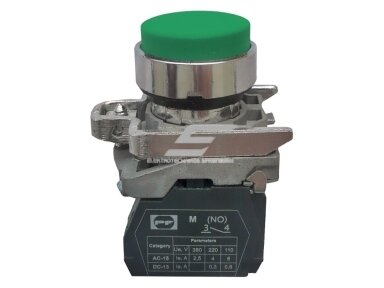
    Extended push button | 22 mm | 1NO | green | metal | without illumination | IP40 | non-latching | Promfactor Baltic | FP PCPB gr
    Code: FP PCPB gr

    FP PCPB gr – green extended metal push button with a 1NO contact, Ø 22 mm, IP40, non-latching, for the START (on) function in panels and control desks.

    Price 2.32 € VAT incl.
    ( 1.92 € VAT excl. )
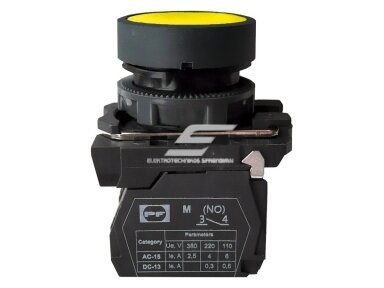
    Push button | 22 mm | 1NO | yellow | plastic | without illumination | IP40 | non-latching | Promfactor Baltic | FP PCP y Pl
    Code: FP PCP y Pl

    FP PCP y Pl – yellow flush plastic push button with a 1NO contact, Ø 22 mm, IP40, non-latching, for a warning / intervention function in panels and control desks.

    Price 1.77 € VAT incl.
    ( 1.46 € VAT excl. )
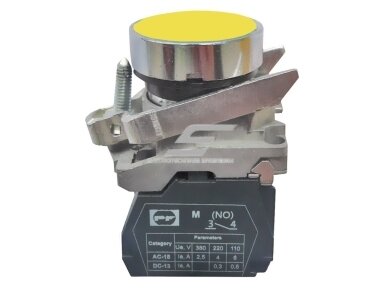
    Push button | 22 mm | 1NO | yellow | metal | without illumination | IP40 | non-latching | Promfactor Baltic | FP PCP y
    Code: FP PCP y

    FP PCP y – yellow flush metal push button with a 1NO contact, Ø 22 mm, IP40, non-latching, for a warning / intervention function in panels and control desks.

    Price 2.17 € VAT incl.
    ( 1.79 € VAT excl. )
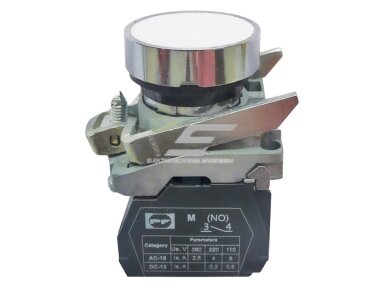
    Push button | 22 mm | 1NO | white | metal | without illumination | IP40 | non-latching | Promfactor Baltic | FP PCP w
    Code: FP PCP w

    FP PCP w – white flush metal push button with a 1NO contact, Ø 22 mm, IP40, non-latching, for a general-purpose function in panels and control desks.

    Price 2.17 € VAT incl.
    ( 1.79 € VAT excl. )
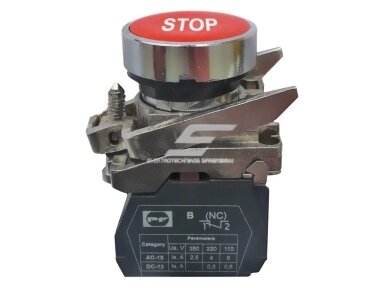
    Push button | STOP | 22 mm | 1NC | red | metal | without illumination | IP40 | non-latching | Promfactor Baltic | FP PCP r Stop
    Code: FP PCP r Stop

    FP PCP r Stop – red flush metal push button marked Stop, with a 1NC contact, Ø 22 mm, IP40, non-latching, for the STOP (off) function in panels and control desks.

    Price 2.60 € VAT incl.
    ( 2.15 € VAT excl. )
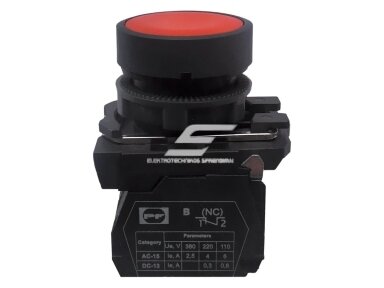
    Push button | 22 mm | 1NC | red | plastic | without illumination | IP40 | non-latching | Promfactor Baltic | FP PCP r Pl
    Code: FP PCP r Pl

    FP PCP r Pl – red flush plastic push button with a 1NC contact, Ø 22 mm, IP40, non-latching, for the STOP (off) function in panels and control desks.

    Price 1.77 € VAT incl.
    ( 1.46 € VAT excl. )
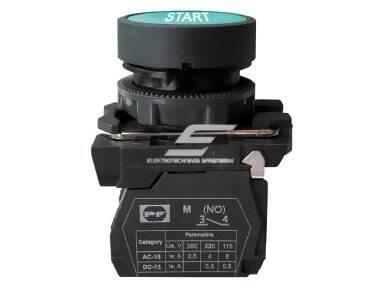
    Push button | START | 22 mm | 1NO | green | plastic | without illumination | IP40 | non-latching | Promfactor Baltic | FP PCP gr Start Pl
    Code: FP PCP gr Start Pl

    FP PCP gr Start Pl – green flush plastic push button marked Start, with a 1NO contact, Ø 22 mm, IP40, non-latching, for the START (on) function in panels and control desks.

    Price 1.91 € VAT incl.
    ( 1.58 € VAT excl. )
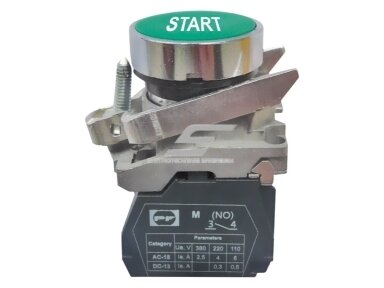
    Push button | START | 22 mm | 1NO | green | metal | without illumination | IP40 | non-latching | Promfactor Baltic | FP PCP gr Start
    Code: FP PCP gr Start

    FP PCP gr Start – green flush metal push button marked Start, with a 1NO contact, Ø 22 mm, IP40, non-latching, for the START (on) function in panels and control desks.

    Price 2.60 € VAT incl.
    ( 2.15 € VAT excl. )
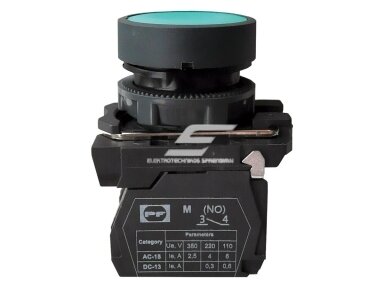
    Push button | 22 mm | 1NO | green | plastic | without illumination | IP40 | non-latching | Promfactor Baltic | FP PCP gr Pl
    Code: FP PCP gr Pl

    FP PCP gr Pl – green flush plastic push button with a 1NO contact, Ø 22 mm, IP40, non-latching, for the START (on) function in panels and control desks.

    Price 1.77 € VAT incl.
    ( 1.46 € VAT excl. )
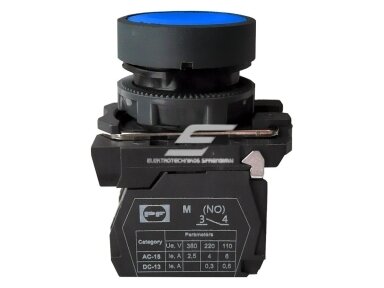
    Push button | 22 mm | 1NO | blue | plastic | without illumination | IP40 | non-latching | Promfactor Baltic | FP PCP blue Pl
    Code: FP PCP blue Pl

    FP PCP blue Pl – blue flush plastic push button with a 1NO contact, Ø 22 mm, IP40, non-latching, for the RESET function in panels and control desks.

    Price 1.77 € VAT incl.
    ( 1.46 € VAT excl. )
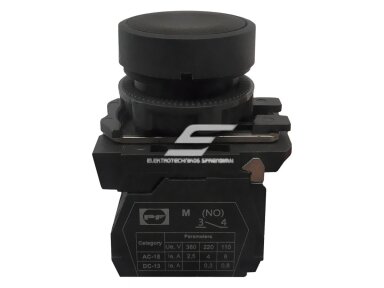
    Push button | 22 mm | 1NO | black | plastic | without illumination | IP40 | non-latching | Promfactor Baltic | FP PCP bl Pl
    Code: FP PCP bl Pl

    FP PCP bl Pl – black flush plastic push button with a 1NO contact, Ø 22 mm, IP40, non-latching, for a general-purpose function in panels and control desks.

    Price 1.77 € VAT incl.
    ( 1.46 € VAT excl. )
    Mushroom-head push button | 22 mm | 1NC | red | latching | plastic | IP40 | Promfactor Baltic | FP CM r Pl
    Code: FP CM r Pl

    FP CM r Pl – plastic red mushroom-head push button with a 1NC contact and latching, Ø 22 mm, IP40, for stopping equipment at local control stations.

    Price 2.94 € VAT incl.
    ( 2.43 € VAT excl. )