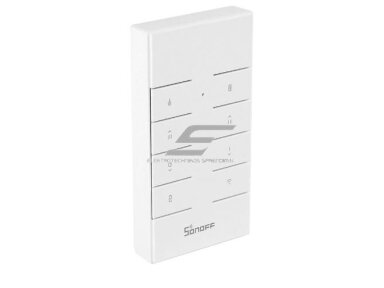
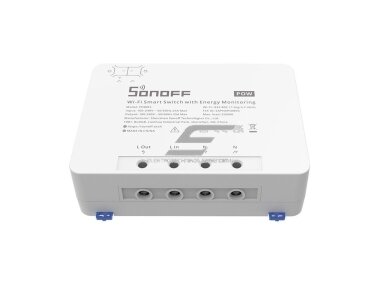
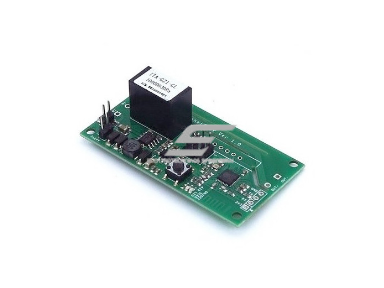
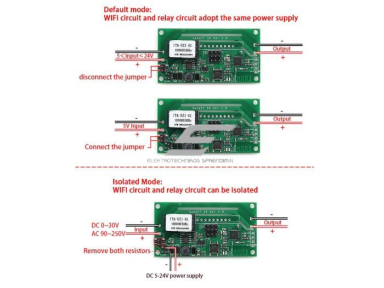
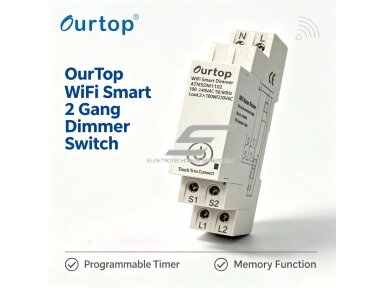
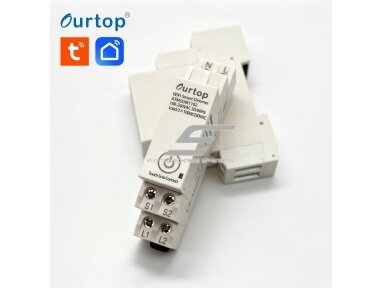
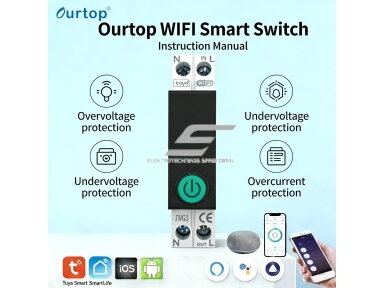
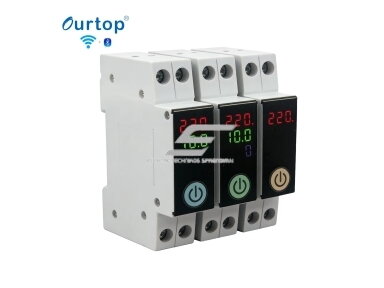
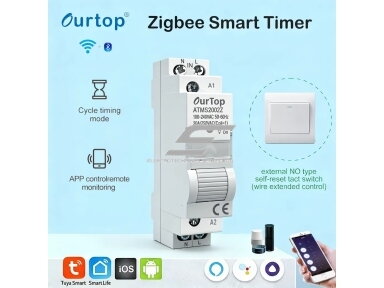
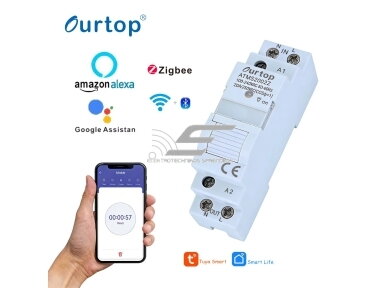
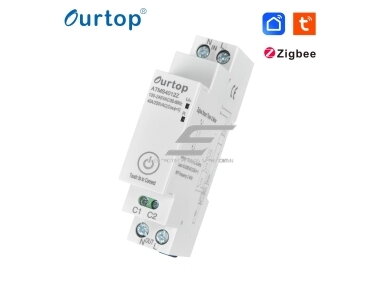
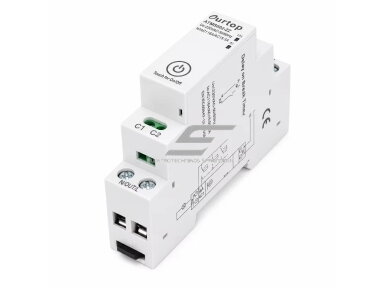
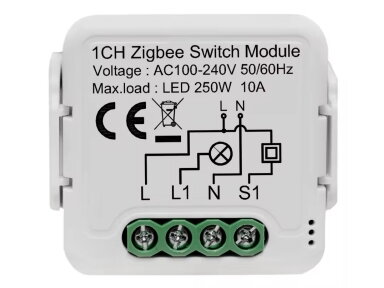
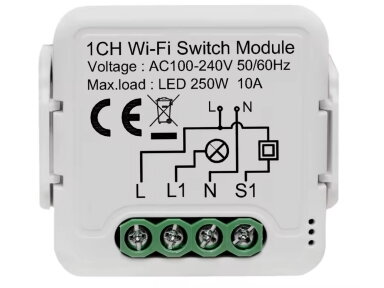
Smart home guide: how to choose the protocol, hub, switches and sensors
Here you will find a quick choice by situation, a Wi-Fi / ZigBee / RF comparison, how ecosystems and hubs work, installation locations, load calculation, a selection matrix for the whole group, the most common mistakes and answers to practical questions. Exact parameters are given in each product description.
Colour legend: ■ information · ■ benefit, solution · ■ ⚠ check · ■ ⚡ safety, mistakes
What do you need? Quick selection
|
Situation |
Solution |
Where to look |
|
Control an existing light from your phone without replacing the wall switch |
In-wall module behind the switch – the ordinary switch stays and keeps working |
SONOFF MINIR4, NOUS L10, MINI-R4M |
|
The switch box only has the live wire and the wire to the light – no neutral (N) |
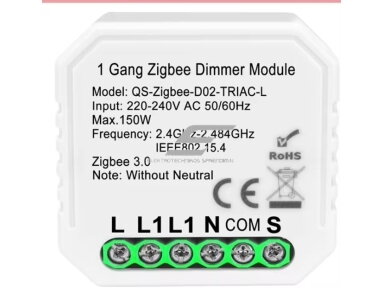
No-neutral ZigBee module + ZigBee hub |
SONOFF ZBMINI-L2, ZBMINI-L, why it matters |
|
Replace an old switch with a smart one – rocker, touch or with a display |
Smart wall switch for a standard flush box (check the 80 / 86 format) |
SONOFF M5, ZBM5 (ZigBee), T2EU TX Max, NSPanel |
|
Plug an appliance into a socket and see how much it consumes |
Smart plug with energy metering – no installation at all |
WOOX R6113, SONOFF S60TPF, NOUS A8 |
|
Outdoors: string lights, fountain pump, patio heater |
Outdoor smart socket with IP44 protection |
WOOX R6079, Wi-Fi socket IP44 |
|
Many sensors: motion, door, water, temperature |
ZigBee system: one hub + battery sensors |
WOOX R7070, NOUS E1, SONOFF Bridge-P |
|
Home Assistant, local control when the cloud is unavailable |
USB ZigBee adapter for a server or a local hub |
ZBDongle-E Plus, Dongle Lite MG21, SONOFF iHost |
|
Radiator heating by room and schedule |
Smart thermostatic radiator heads (M30×1.5 – check your valve) |
SONOFF TRVZB, IMOU TRV1, WOOX kit |
|
Electric heating, greenhouse, basement humidity – by temperature or humidity |
Controller with an external sensor; for higher power – via a contactor |
THR316D, THR320D, ADAX WT3 |
|
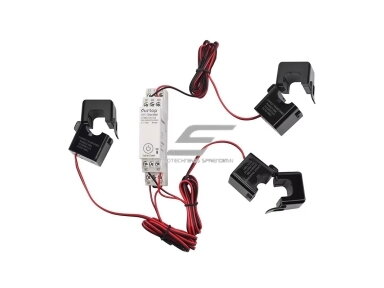
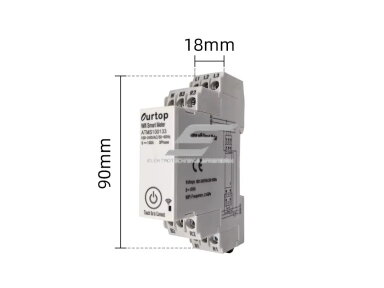
See the consumption of the whole house or individual circuits in the panel |
Modular smart meter on a DIN rail (1-phase or 3-phase) |
POWR316, SPM-Main, DTS238-7 (3-phase) |
|
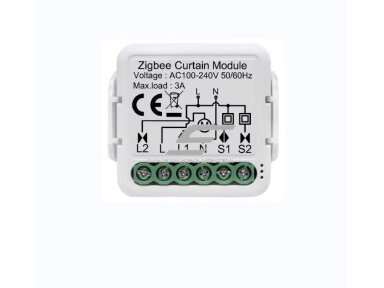
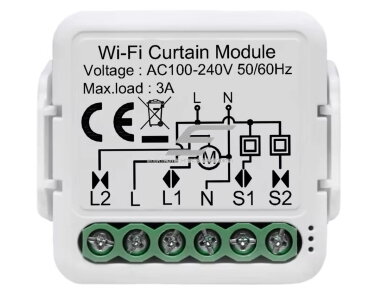
Roller shutters, blinds, curtains |
In-wall shutter module (wired motor) or a stand-alone controller |
MINI-ZBRBS, ZBCurtain, MOES with solar panel |
|
Water leak protection – detect and shut off the water |
Leak sensor + valve controller with an automation |
WOOX R7050, NOUS L3, Ajax DN20 |
|
Gas, carbon monoxide (CO), smoke – alert to your phone |
Smart detector with a siren and Wi-Fi / ZigBee notification |
gas + CO sensor, MOES CO, MOES smoke |
|
Emergency call for an elderly or disabled person |
At home – a button with a receiver; away from home – a 4G/GPS button with fall detection |
SOS 433 MHz + Wi-Fi, SOS ZigBee, 4G + GPS |
|
A site that should not depend on Wi-Fi and the cloud |
Professional RF system (868 MHz) or modular radio relays in the panel |
iNELS RF kit, iNELS gateway, F&F rH-R5 |
|
Intruder alarm with a separate security control panel |
Security system with 3G/4G backup connection, not a consumer sensor kit |
Hikvision AX PRO kit, IMOU ZG1 |
Rule of thumb: first choose one app (Tuya / Smart Life, eWeLink, IMOU Life or iNELS) and one communication base (Wi-Fi or ZigBee with a hub), and only then specific devices. This way you avoid five apps on your phone and automations that cannot “talk” to each other.
Wi-Fi, ZigBee, Bluetooth or RF – which protocol fits
The protocol determines whether you need a hub, how many devices you can connect, how long the batteries last and whether the system keeps working when the internet goes down. This is the most important decision – and the hardest to change later.
■ Wi-Fi (2.4 GHz)
-
No hub needed – the device connects directly to the router.
-
Suitable for 230 V devices: relays, sockets, switches, bulbs.
-
Not suitable for battery sensors – the connection “eats” too much energy.
-
⚠ Every device is a separate client on the network. At 20–30 devices a home router often starts dropping connections.
■ ZigBee 3.0 (2.4 GHz, mesh)
-
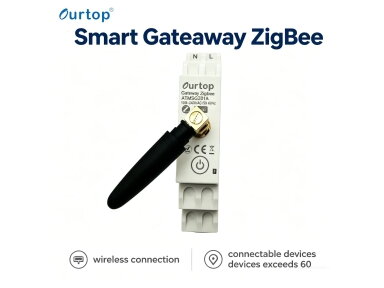
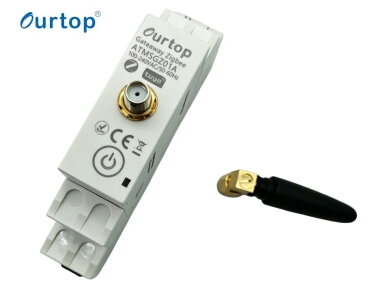
Requires a hub (ZigBee ↔ Wi-Fi gateway) – one hub serves dozens of devices.
-
Battery sensors last for months or years.
-
Mains-powered devices pass the signal on – the system “grows” with the house.
-
Some modules work without a neutral (ZBMINI-L, ZBMINI-L2).
■ Bluetooth
-
Short range – usually within the same room.
-
Remote control requires a Bluetooth ↔ Wi-Fi bridge (e.g. MOES Bridge Mesh).
-
Suitable for single devices: watering controllers, Fingerbot, pendants.
■ RF 433 MHz and 868 MHz
-
433 MHz – inexpensive remotes, sensors, buttons; usually one-way communication, no status feedback.
-
Added to the app via RF Bridge R2.
-
868 MHz (iNELS RF, security systems) – a less congested band, longer range, a professional solution without Wi-Fi dependency.
|
Criterion |
Wi-Fi |
ZigBee |
RF 433 MHz |
RF 868 MHz (iNELS) |
|
Hub |
not needed |
required |
for the app – RF Bridge |
for the app – gateway |
|
Battery sensors |
limited |
excellent |
good |
good |
|
Status feedback |
yes |
yes |
usually not |
yes (depends on model) |
|
Works without internet |
limited (local mode not everywhere) |
with a local hub – yes |
remote ↔ receiver – yes |
yes |
|
Best for |
a few single devices in a flat |
a whole house with sensors |
remotes, simple scenarios |
commercial sites, wire-free renovation |
App and hub: how devices “talk” to each other
Devices from different manufacturers can work in one system only if they use the same platform. Our range covers five main ones:
How a command travels in a ZigBee system:
Sensor / button (battery)
→
230 V ZigBee devices (repeaters)
→
ZigBee hub
→
Wi-Fi router / cloud
→
App on your phone
-
✓ Place the ZigBee hub in the middle of the house, not in the panel and not behind metal doors.
-
✓ For distant sensors, one 230 V ZigBee device along the way or a USB repeater is enough.
-
⚠ Always pair a ZigBee device with the hub of the platform whose app you use – a SONOFF sensor on a Tuya hub may only work partially.
Where it is installed: socket, box, wall or panel
The same function – switching on and off – can be done in four places. This determines whether you need an electrician and how much flexibility you have later.
■ Plug-in socket
-
Plug it in – it works. No electrician needed.
-
Most have energy metering and a timer.
-
Limited by the socket current (10–16 A).
Smart sockets →
■ In-wall module
-
Fits behind an existing switch or in the light fitting box.
-
The existing switch stays – only its function changes.
-
⚠ Needs space in the box – choose a deep box.
SONOFF modules →
■ Smart wall switch
-
Replaces an ordinary switch; control both on the wall and from the phone.
-
Formats: 80 (square frame) and 86 (86×86 mm).
-
Most require a neutral in the box.
Wall switches →
■ Modular DIN in the panel
-
Meters, thermostats, relays – in one place with the protective devices.
-
Easy to combine with a contactor for heavy loads.
-
⚠ A metal panel attenuates the radio signal.
Smart modular equipment →
⚡ Neutral (N) in the switch box – the most common surprise
A smart switch must be powered all the time to wait for a command from the phone. In older installations the switch box often only has the live wire (L) and the wire to the light – there is no neutral.
The box has L and N
Any module or switch will do: MINIR4, NOUS L10, SONOFF M5, Wi-Fi or ZigBee – depending on the chosen system.
The box only has L and the wire to the light
Choose a module designed to work without a neutral: ZBMINI-L2 or ZBMINI-L (ZigBee, hub required), or install the module in the light fitting box where N is available.
-
⚠ No-neutral modules are powered through the light, so very low-power LEDs may glow faintly or flicker when off. The minimum load is given in the product description.
-
⚡ Never “borrow” the neutral from the protective earth (PE) conductor – it is dangerous and violates the principle of protection against electric shock.
Selection matrix: key products of the group
The table shows parameters from product descriptions and manufacturer data. “–” means the parameter does not apply or the manufacturer does not specify it. Load is given for resistive loads – for LEDs and motors see the section on load.
|
Product |
Purpose |
Protocol |
Load / range |
Installation / power |
App |
|
Hubs and gateways |
|
WOOX R7070 |
ZigBee hub |
ZigBee 3.0 → Wi-Fi 2.4 GHz |
– |
5 V DC, micro USB |
Tuya / Smart Life |
|
NOUS E1 |
ZigBee hub |
ZigBee → Wi-Fi |
– |
– |
Tuya / Smart Life |
|
SONOFF Bridge-P |
ZigBee hub |
ZigBee → Wi-Fi |
– |
5 V, 1 A |
eWeLink |
|
SONOFF iHost 4 GB / 2 GB |
Local smart home hub |
ZigBee, Wi-Fi, Bluetooth |
– |
110–230 V |
eWeLink CUBE |
|
SONOFF ZBDongle-E Plus |
USB ZigBee adapter for a server |
ZigBee 3.0 |
– |
USB, 5 V |
Home Assistant, Zigbee2MQTT |
|
SONOFF RF Bridge R2 |
433 MHz devices into the app |
RF 433.92 MHz → Wi-Fi |
– |
tabletop |
eWeLink |
|
IMOU ZG1 |
Home hub for up to 32 devices |
ZigBee → Wi-Fi |
– |
– |
IMOU Life |
|
iNELS RF gateway |
Phone control of the RF system |
RF 868 MHz → LAN (RJ45) |
– |
230 V AC (12 V DC) |
iNELS |
|
Relays and switches for lighting and appliances |
|
SONOFF MINIR4 |
Module behind the switch |
Wi-Fi |
10 A / 2200 W |
in-wall, 110–240 V, N required |
eWeLink |
|
SONOFF MINIR3 |
Module for higher loads |
Wi-Fi |
16 A / 3500 W |
in-wall, 100–240 V, N required |
eWeLink |
|
SONOFF ZBMINI-L2 |
No-neutral module |
ZigBee |
6 A |
in-wall, 110–230 V, no N |
eWeLink (via hub) |
|
SONOFF ZBMINI |
Module behind the switch |
ZigBee |
10 A / 2200 W |
in-wall, 100–240 V, N required |
eWeLink (via hub) |
|
NOUS L10 |
1–2 channel module |
Wi-Fi |
16 A |
in-wall, 85–250 V |
Tuya / Smart Life |
|
SONOFF DUAL R3 |
2 circuits or shutters |
Wi-Fi |
15 A / 3300 W total |
in-wall, 100–240 V |
eWeLink |
|
SONOFF 4CHPROR3 |
4 circuits, remote control |
Wi-Fi + RF 433 MHz |
40 A / 8800 W total |
in a box / panel, 100–240 V |
eWeLink |
|
SONOFF M5 (1–3 gang) |
Rocker wall switch |
Wi-Fi |
10 A / 2200 W |
flush box 86 / 80 |
eWeLink |
|
SONOFF ZBM5 (1–3 gang) |
Rocker wall switch |
ZigBee |
10 A |
flush box 86 / 80 |
eWeLink (via hub) |
|
SONOFF T2EU TX Max |
Touch wall switch |
Wi-Fi |
480 W |
flush box, 230 V |
eWeLink |
|
SONOFF NSPanel |
Switch with display and scenes |
Wi-Fi |
2 channels |
flush box 86, 100–240 V |
eWeLink |
|
SONOFF dimmer (TRIAC) |
Light dimming |
Wi-Fi |
150 / 200 W |
in-wall, 100–240 V |
eWeLink |
|
iNELS RFSA-61B + RFWB-40 |
Actuator + wall controller |
RF 868 MHz |
depends on actuator |
in-wall; battery controller |
iNELS (via gateway) |
|
F&F rH-R5 |
5-channel radio relay |
radio (F&F system) |
see description |
modular DIN, 230 V |
F&F |
|
Roller shutters, blinds, curtains |
|
SONOFF MINI-ZBRBS |
Shutter / blind module |
ZigBee 3.0 |
1 A |
in-wall, 100–240 V AC |
eWeLink (via hub) |
|
SONOFF MINI-RBS |
Curtain / shutter module |
Wi-Fi |
1 A / 100–240 W |
in-wall, 100–240 V |
eWeLink |
|
SONOFF ZBCurtain |
Curtain motor |
ZigBee |
– |
on the curtain track |
eWeLink (via hub) |
|
MOES shutter controller |
Automating manual shutters |
ZigBee |
– |
battery + solar panel, no wiring |
Tuya / Smart Life |
|
Heating and climate |
|
SONOFF TRVZB |
Radiator thermostat |
ZigBee |
– |
on the valve M30×1.5, batteries |
eWeLink (via hub) |
|
WOOX thermostat kit |
2 thermostats + hub |
ZigBee → Wi-Fi |
0.5–29.5 °C |
on the valve, batteries |
Tuya / Smart Life |
|
IMOU TRV1 |
Radiator thermostat |
ZigBee |
– |
on the valve, batteries |
IMOU Life (via ZG1) |
|
iNELS RFATV-1 |
Radiator valve controller |
RF 868 MHz |
– |
on the valve, batteries |
iNELS |
|
MOES boiler thermostat |
Boiler / water heater control |
Wi-Fi |
5 A |
wall-mounted, 95–240 V AC |
Tuya / Smart Life |
|
SONOFF THR316D / THR320D |
Temperature / humidity controller with display |
Wi-Fi |
16 A / 20 A |
DIN, 100–240 V, sensor sold separately |
eWeLink |
|
ADAX WT3 |
Socket thermostat for a heater |
Wi-Fi + Bluetooth |
16 A / 3680 W, 5–35 °C |
plug-in, 230 V |
ADAX |
|
Energy metering and control in the panel |
|
SONOFF POWR316 |
Meter + relay |
Wi-Fi |
16 A, 1 channel |
DIN, 100–240 V |
eWeLink |
|
SONOFF POWR320D |
Meter with display and limiting |
Wi-Fi |
20 A |
DIN, 100–240 V |
eWeLink |
|
SONOFF POWR3 |
Meter + relay for a more powerful appliance |
Wi-Fi |
25 A / 5500 W |
in a box, 100–240 V |
eWeLink |
|
SONOFF SPM-Main + SPM-4Relay |
Circuit metering and control |
Wi-Fi / LAN |
up to 128 channels per system |
DIN |
eWeLink |
|
DTS238-7 (3-phase) |
Three-phase meter with relay |
Wi-Fi |
60 A, 3×230/400 V |
DIN |
Tuya / Smart Life |
|
Tuya MCB 4P C63 |
Remotely controlled circuit breaker |
Wi-Fi |
63 A, 400 V, 6 kA |
DIN |
Tuya / Smart Life |
|
Plug-in sockets |
|
WOOX R6113 |
Socket with metering |
Wi-Fi |
16 A / 3680 W |
plug-in, Schuko |
Tuya / Smart Life |
|
SONOFF S26R2ZB |
Socket, ZigBee repeater |
ZigBee |
16 A / 4000 W |
plug-in, Schuko |
eWeLink (via hub) |
|
WOOX R6079 |
Double outdoor socket |
Wi-Fi |
16 A / 3680 W |
free-standing, IP44, 1.4 m cable |
Tuya / Smart Life |
|
WOOX R6132 power strip |
3 sockets + USB-A / USB-C |
Wi-Fi |
16 A / 3680 W total |
power strip |
Tuya / Smart Life |
|
Sensors and safety |
|
SONOFF SNZB-03 |
Motion (PIR) |
ZigBee |
110°, 6 m |
battery |
eWeLink (via hub) |
|
SONOFF PIR3-RF |
Motion (PIR) |
RF 433 MHz |
100°, 8 m |
battery |
eWeLink (via RF Bridge) |
|
WOOX R7047 |
Door / window opening |
ZigBee |
10–20 mm gap |
battery |
Tuya / Smart Life |
|
WOOX R7050 |
Water leak |
ZigBee |
– |
on the floor, IP67, battery |
Tuya / Smart Life |
|
SONOFF SNZB-02D |
Temperature / humidity with display |
ZigBee |
– |
battery |
eWeLink (via hub) |
|
Gas + CO sensor |
Natural gas and carbon monoxide |
Wi-Fi |
gas 1500–10000 ppm, CO 30–450 ppm |
110–240 V AC |
Tuya / Smart Life |
|
CO₂ meter 9 in 1 |
Air quality, CO₂ |
Wi-Fi |
400–6000 ppm |
tabletop |
Tuya / Smart Life |
|
Fall detection radar |
Presence and falls in a room |
ZigBee 3.0, 60 GHz radar |
4×4 m zone |
wall-mounted |
Tuya (via hub) |
|
Water, irrigation, gates |
|
NOUS L3 |
Actuator for an existing valve |
Wi-Fi |
up to 1.6 MPa |
on the valve handle, 12 V |
Tuya / Smart Life |
|
Ajax DN15 / DN20 |
Motorised valve for the water inlet |
Ajax system |
DN15 / DN20 |
in the pipeline |
Ajax |
|
Irrigation valve DN15–DN25 |
Irrigation line control |
ZigBee or Tuya Wi-Fi |
DN15 / DN20 / DN25 |
in the pipeline, 5 V DC, IP67 |
Tuya / Smart Life |
|
WOOX R4238 |
Tap-mounted watering controller |
Wi-Fi |
0.034–0.827 MPa |
G 3/4", 4×AAA, IPX4 |
Tuya / Smart Life |
|
Gate operator PKM-C05 |
Double swing gate automation |
Wi-Fi + remotes |
up to 600 kg |
solar power option |
see description |
Full range by manufacturer: SONOFF · TUYA · WOOX · NOUS · IMOU · iNELS RF · SOS systems
Load: how much you can connect to a smart relay
The relay current (10 A, 16 A) is specified for resistive loads – heating elements and heaters. LED drivers draw a many times higher current for a moment when switched on, and motors and pumps have a starting current. Therefore the LED and motor power a relay can reliably handle is considerably lower.
Calculation: I = P ÷ U. E.g. a 2000 W heater ÷ 230 V ≈ 8.7 A. For continuous loads leave a margin – do not load the relay above ~80 % of its rated current.
|
Load |
Example |
What to choose |
|
LED lighting up to ~300 W |
room lights, LED strips |
10 A module or switch (MINIR4, M5); for touch switches – check the power limit (e.g. 480 W) |
|
Many LED floodlights |
yard or warehouse group |
The smart relay controls the coil of a modular contactor |
|
Heater 1–2.5 kW |
electric radiator, convector |
16 A: MINIR3, 16 A socket, ADAX WT3 |
|
Water heater, underfloor heating > 2.5 kW |
boiler, heating cable |
POWR3 25 A or relay + contactor in the panel |
|
Pump, fan, compressor |
borehole pump, extraction |
Via a contactor; three-phase – only via a contactor with motor protection |
|
Dimmable lighting |
living room LED bulbs |
TRIAC dimmer + only “dimmable” LEDs; or smart bulbs without a dimmer |
⚠ What to check before buying
KibirkštisBefore installing smart equipment at a customer's place, I first unscrew the switch and look at what is in the box. That saves me a second trip.
|
What to check |
Why it matters |
|
Is there a neutral (N) in the box |
It determines whether a standard module will fit or you need a no-neutral model. More |
|
Box depth and format |
A module behind the switch takes up space; wall switches come in 80 and 86 frame formats. |
|
Wi-Fi band and signal at the installation spot |
Most smart devices connect only to a 2.4 GHz network. Check the signal with your phone where the device will be. |
|
App and hub |
A ZigBee device needs a hub of the same platform. More |
|
Load type and power |
LEDs, motors and heaters load a relay differently. More |
|
Radiator valve thread |
Smart heads are usually designed for M30×1.5; other valves need an adapter. |
|
Environment: outdoors, bathroom, panel |
Outdoors – IP44 or higher protection; a metal panel weakens the radio signal. |
✗ Most common mistakes
|
Mistake |
Consequence |
|
All devices on Wi-Fi, 30+ units |
The router cannot cope, devices “drop off”, commands are delayed. Solution – ZigBee with a hub for sensors and some of the switches. |
|
Devices from several platforms |
Several apps, automations between them do not work, two ZigBee hubs interfere with each other. |
|
ZigBee hub in the panel or basement |
Distant sensors lose connection, batteries drain faster due to retransmissions. |
|
A group of LED floodlights directly on a 10 A relay |
The inrush current welds the contact – the light no longer switches off. |
|
Neutral taken from the PE conductor |
⚡ Voltage on earthed enclosures, the RCD trips, risk of electric shock. |
|
5 GHz-only Wi-Fi or a shared 2.4/5 GHz network name |
The device does not connect during setup. Temporarily separate the 2.4 GHz network. |
|
A consumer sensor kit instead of a security system |
No alert when the internet or power goes down. For security, choose a control panel with 3G/4G and a backup battery. |
Diagram: a typical smart home system – wrong and right
KibirkštisI put 35 Wi-Fi devices from three different apps into a house. Half of them go “offline” in the evenings, and the garage motion sensor does not switch on the light. What should I do?
FazėPick one platform. Move the sensors to ZigBee with one hub in the middle of the house, and the 230 V ZigBee switches on the way to the garage will pass the signal on. Keep Wi-Fi only for devices that need higher power or energy metering.
✗ Wrong
Home router
↓ ↓ ↓ ↓ ↓ ↓
① 35 Wi-Fi devices ② 3 apps ③ battery Wi-Fi sensors ④ hub in a metal panel ⑤ LED group directly on the relay
✓ Right
Router → ① one ZigBee hub in the middle of the house
↓
② one app ③ battery ZigBee sensors ④ 230 V ZigBee devices as repeaters ⑤ relay → contactor → LED group Wi-Fi only for high-power appliances
-
Hub. One ZigBee hub serves dozens of devices and takes the load off the router.
-
Platform. One app – all automations and scenes in one place.
-
Sensors. Battery ZigBee sensors last long and do not load the Wi-Fi network.
-
Network expansion. 230 V ZigBee switches and sockets pass the signal on – no extra repeaters needed.
-
Power. A heavy load is switched by a contactor, while the smart relay only controls its coil.
⚠ The diagram is for guidance only. Before connecting, check against the manufacturer's instructions and the markings on the device.
The qualified electrician carrying out the installation is responsible for it. UAB „Elektrotechnikos sprendimai“ is not responsible for the connection or possible errors.
Frequently asked questions
Kibirkštis asks – a young, curious electrician who dares to ask what others don't. Fazė answers – an experienced engineer.
KibirkštisWill a smart home work if the internet goes down?
FazėWall switches and modules with an ordinary switch will always work – by hand. Remote control and cloud automations will stop. If scenarios must run locally, choose a local hub (
iHost, Home Assistant with
ZBDongle-E) or iNELS RF.
KibirkštisWill NOUS and WOOX devices work in one app?
FazėYes – both are based on the Tuya platform, so together with MOES and Gosund devices they work in the Smart Life app. For ZigBee devices one Tuya hub is enough, e.g.
WOOX R7070.
KibirkštisHow many ZigBee devices can be connected to one hub?
FazėIt depends on the hub – you will find the limit in the product description (e.g. IMOU ZG1 – up to 32 devices). One hub is usually enough for a flat or a house; what matters more than the number is having 230 V ZigBee devices on the way to the far corners.
KibirkštisWhy can't my phone find the new Wi-Fi switch?
FazėNine times out of ten the phone is connected to a 5 GHz network or the router combines both bands under one name. During setup connect to the 2.4 GHz network, turn on location on the phone and put the device into pairing mode according to the instructions.
KibirkštisCan a smart module go into the panel next to the circuit breakers?
FazėChoose devices designed for DIN mounting –
POWR316,
THR316D, modular meters. In a plastic panel the signal is usually sufficient; in a metal one – check the connection before closing the door, or keep the hub or router closer.
KibirkštisWhat about Matter – is it no longer worth buying ZigBee?
FazėMatter is an interoperability standard that connects platforms – it does not replace ZigBee sensors. Some hubs already bridge ZigBee devices into Matter ecosystems. Today ZigBee is a mature and proven choice, especially for battery sensors.
Not sure what to choose? Send us a photo of the switch box, a list of loads and the function you need – we will select a compatible set. Tel. +370 658 01033, contacts.
Sources
Manufacturer data and standards information used in this guide. Checked 2026-10-24.